Best Crypto Cards for Beginners (2026)
Compare beginner-friendly crypto cards with simple onboarding, clear fees, easy funding, and low-complexity setups. A practical starting point for first-time users.
Curated for Beginners
39 matching cards
Filtered by no annual fee, virtual card
Entering the world of crypto cards can be overwhelming today. When we first started testing them, there were maybe five or six options and the decision was simple. Now there are more cards than anyone can reasonably track, each with different fees, rewards, custody models, and regional restrictions.
Even our team sometimes has to pause and double check which card makes sense for a specific situation. This page is designed to cut through that noise and help you pick your first card without overthinking it.
If you want the broader market first and the beginner filter second, our main crypto card ranking is the better starting point.
Here is what actually happens when you tap a crypto card at a coffee shop: the terminal charges $4.50, the card issuer sells $4.50 worth of crypto from your card balance, and the merchant receives $4.50 in their local currency.
To the cashier, it looks like any other Visa or Mastercard payment. To you, it feels the same too, except the money came from your crypto instead of your bank account.
That is the entire concept. No blockchain knowledge required at the register, no special merchant support, no QR codes. The card handles the conversion. Your job is just to pick a card, load it with some funds, and start using it. Every card in our 2026 beginner review costs zero to hold (no annual fee) and gives you a virtual card number instantly, so you can test it with an online purchase before committing to a physical card.
Best Starter Cards at a Glance
| Card | Cashback | Annual Fee | FX Fee | Virtual Card | Best For |
|---|---|---|---|---|---|
| Coinbase Card | 4% | Free | 0% | Yes | US beginners (easiest KYC) |
| Gemini Credit Card | Up to 4% | Free | 0% | Yes | US users who want a credit card |
| Bitget Card | Up to 8% | Free (0.9% tx fee) | 0% | Yes | EEA + APAC beginners |
| Bleap Mastercard | 2% | Free | 0% | Yes | Self-custody curious |
| Crypto.com Midnight Blue | 0% | Free | 0% | Yes | Brand trust, zero risk |
| Bitpanda Card | 1% | Free | 0% | Yes | EEA users, 600+ assets |
| Wirex Standard | 0.5% | Free | 0% | Yes | Multi-currency explorer |
| RedotPay Virtual | N/A | Free ($10 setup) | 1.2% | Yes | Global availability, simplified onboarding |
| KAST K Card | 2% MOVE | Free | 0.5% | Yes | Fast KYC, 2-minute setup |
| ether.fi Core | 3% ETH | Free | 1% intl | Yes | Self-custody + restaking yield |
Every card above is free to hold, gives you a virtual card number the same day, and requires no staking or lockup. You can try any of them with a small test purchase and decide from there. For the full list, see our no annual fee guide.
How a Crypto Card Transaction Actually Works
Understanding the mechanics helps you avoid surprises. Here is exactly what happens when you tap a Coinbase Card for a $12.50 lunch:
Step 1: You tap or insert the card. The restaurant's payment terminal sends a $12.50 authorization request to Visa. This is identical to how a regular debit card works. The merchant has no idea it is a crypto card.
Step 2: Visa asks Coinbase "does this person have $12.50?" Coinbase checks your USDC balance. If you have enough, it authorizes the transaction in under 2 seconds.
Step 3: Coinbase sells $12.50 of USDC from your balance. Because USDC is pegged to $1, exactly $12.50 is deducted. If you had loaded BTC instead, Coinbase would sell $12.50 worth of BTC at the current market price, which could be slightly more or less than what you originally paid for that BTC.
Step 4: The merchant receives $12.50 in USD. Visa handles the settlement. The merchant never touches crypto. They receive regular dollars, just like from any other Visa card.
Step 5: Cashback is calculated. Coinbase applies your 4% reward rate: $12.50 x 4% = $0.50 in crypto. This appears in your Coinbase account within 24 hours, usually in your currently selected reward asset (BTC, SOL, or another option).
Step 6: You see the transaction in the app. Your balance shows $12.50 less. Your rewards balance shows $0.50 more. A push notification confirms the purchase.
The entire process takes the same 2-3 seconds as a regular card tap. The merchant, the waiter, and the people in line behind you notice nothing different.
What Happens When You Spend in a Foreign Currency
If you are traveling and pay EUR 10 for a coffee in Paris with a USD-funded card, an extra step happens: Visa converts EUR 10 to approximately $10.80 USD (at the current exchange rate). Cards with 0% FX fees like Coinbase and Bitget do not add any markup to this conversion. Traditional bank cards typically add 2-3% on top, turning that $10.80 into $11.15-$11.12. Over a two-week trip with $2,000 in spending, the 0% FX card saves $40-60 compared to a bank card.
Three Things That Determine Your Card's Real Value
Marketing materials emphasize the cashback percentage. Based on our 2026 data, three numbers matter more than the headline rate:
1. What You Actually Get Paid In
The asset you receive as cashback changes everything about the value of that reward.
| Cashback Asset | Example Cards | Stability | Can It Grow? | Beginner Friendliness |
|---|---|---|---|---|
| Stablecoin (USDC) | COCA, Bleap | Rock solid ($1 = $1) | No | Best for beginners |
| Major crypto (BTC, ETH) | Coinbase, Gemini, ether.fi | Volatile (can move 5-10% daily) | Yes (historically up over years) | Good (familiar assets) |
| Exchange token (BGB, CRO) | Bitget, Crypto.com | Volatile (tied to one company) | Yes, but higher risk | Moderate |
| New/small token (MOVE, STRK) | KAST, Ready | Very volatile | High upside, high downside | Not recommended to start |
For beginners: Start with a card that pays in BTC or USDC. You understand what those are. Earning in obscure exchange tokens adds a layer of complexity (and risk) that you do not need in month one.
2. Hidden Fees That Reduce Your Return
A card advertising "0% fees" and "8% cashback" might charge a 0.9% transaction fee on every purchase. Your real cashback is 7.1%, not 8%. Other hidden costs to watch for:
| Fee Type | What It Means | Cards That Charge It | Cards That Do Not |
|---|---|---|---|
| Transaction fee | Flat % on every purchase | Bitget (0.9%), ether.fi (1% intl) | Coinbase, 1inch, Bitpanda |
| Conversion spread | Gap between market rate and the rate you get | Some cards embed 0.5-1.5% | Coinbase (USDC = no spread) |
| Issuance fee | One-time cost for the card | RedotPay ($10) | Most others ($0) |
| ATM fee | Cost to withdraw cash | Most cards (2% above free allowance) | None are truly free |
How to avoid surprises: Fund with USDC. There is no conversion spread on a token worth exactly $1. And always calculate your net cashback: headline rate minus transaction fee minus any conversion cost.
3. Whether the Rate Requires Staking
Some cards advertise 5-8% cashback, but that rate requires you to buy and lock hundreds or thousands of dollars of the issuer's token. For beginners, this is a trap:
- You are buying a volatile token you may not believe in
- Your money is locked for 6-12 months
- If the token drops 30%, your cashback is wiped out by the loss on the stake
Every card in the "Best Starter Cards" table above gives you its full free-tier rate with zero staking. That is the correct starting point. Evaluate staking tiers only after you have 3+ months of spending data and understand the risks. The reward guide explains staking math in detail.
How to Choose Your First Card
The right starter card depends on two things: where you live and how much complexity you want.
By Region
| Where You Live | Best Free Card | Why |
|---|---|---|
| United States | Coinbase Card or Gemini Credit Card | Easiest KYC if you already have a Coinbase/Gemini account. Gemini is a credit card (no crypto top-up needed). |
| Europe (EEA) | Bitpanda Card or Bitget Card | Bitpanda has the simplest app with no annual fee and 0% FX. Bitget offers higher cashback. |
| UK | Crypto.com or 1inch | Crypto.com (Visa) and 1inch (Mastercard) cover both networks with 0% FX. |
| Asia-Pacific | Bitget Card or RedotPay | Bitget available in most APAC countries. RedotPay works globally. |
| Everywhere Else | RedotPay Virtual or KAST | Broadest access outside the US/EEA. KAST is useful where fast KYC matters more than premium rewards. |
Check our country pages for the exact cards available in your specific country before starting the sign-up process.
Custodial vs. Self-Custody: A Simple Explanation
You will see two types of crypto cards mentioned on this site. The difference matters, but the good news is: both work identically at the register.
Custodial cards (Coinbase, Crypto.com, Bitget) hold your crypto on their platform. You deposit funds into the exchange app, and the card spends from that balance. Simple to use, but your funds are in someone else's hands. If the exchange has problems, your balance is at risk.
Self-custody cards (Bleap, Ready, ether.fi, Gnosis Pay, MetaMask) keep your crypto in your own wallet until the moment you pay. More secure, but you need to understand wallets and gas fees. Good as a second card once you are comfortable.
For beginners, start custodial. The experience is identical to using a bank app: deposit money, spend with card, see balance update. You can explore self-custody later once you understand how wallets work.
What Beginners Need in a Crypto Card
Zero annual fee - nothing to pay if you decide the card is not for you
Virtual card issued instantly - try it with an online purchase today
Major exchange or issuer with a polished app (not a rough beta product)
USDC support so your balance stays stable while you learn
Clear, upfront fee schedule - no surprises on your first statement
Top 5 Cards for Beginners
A beginner's first crypto card should teach, not confuse. Coinbase and Gemini are the two cards where you never touch a blockchain directly: Coinbase converts from your exchange balance, and Gemini is a standard credit card that deposits crypto rewards. Bitpanda fills the same role for EEA users with 600+ assets and a regulated Austrian banking license. KAST covers global availability for everyone else.
Bleap is the one stretch pick: a self-custody Mastercard with account abstraction, so you learn wallet concepts without managing gas fees. Six cards, three regions, and a clear path from "what is USDC" to "I understand custodial vs self-custodial spending."
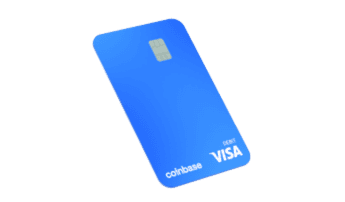
1. Coinbase Card (Prepaid Visa)
Safe & Simple: US Regulated Prepaid Visa with Rotating Crypto Rewards
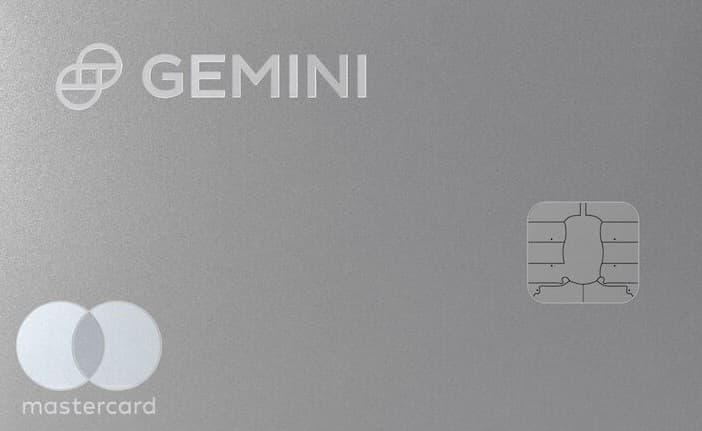
2. Gemini Credit Card
Category Crypto Rewards: 4% Gas/Transit/Rideshare, 3% Dining, 2% Groceries
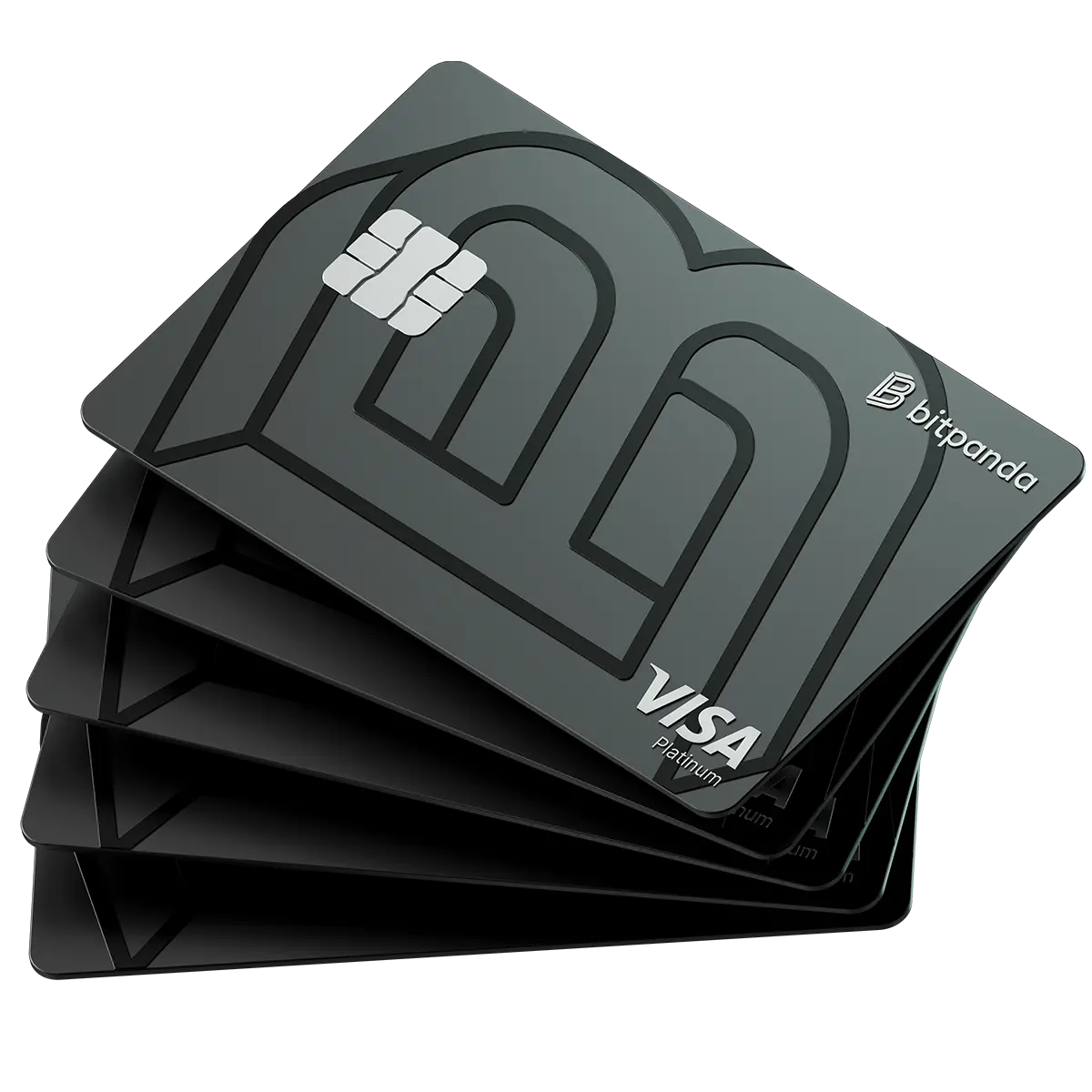
3. Bitpanda Visa Platinum Card
The EU Crypto Spending Card - 1% Back, Zero Fees
4. KAST K Card
Early Adopter Access: 2% Points + 4% $MOVE on Every Swipe
5. Bleap Mastercard
Secure DeFi Spend: Tiered USDC Cashback + 0% FX Fees
What $500/Month Looks Like
$50
/month in cashback (based on Jupiter Global at 10%)
Real Beginner Scenarios: What You Actually Earn
Scenario 1: Alex, College Student in Chicago ($500/month)
Alex downloads Coinbase Card because he already has a Coinbase account from buying BTC last year. He loads $150 in USDC and sets the card as his default in Apple Pay. If your situation looks more like Alex's than a full-time worker's, the dedicated students guide goes deeper on small balances, study-abroad FX, and first-card budget math.
| Category | Monthly Spend | Cashback (4%) | Notes |
|---|---|---|---|
| Groceries | $150 | $6.00 | Earns full 4% |
| Dining/coffee | $100 | $4.00 | Earns full 4% |
| Subscriptions (Spotify, Netflix) | $30 | $1.20 | Earns full 4% |
| Uber/transit | $80 | $3.20 | Earns full 4% |
| Online shopping | $140 | $5.60 | Earns full 4% |
| Total | $500 | $20/month | $240/year |
After 6 months: Alex has earned $120 in crypto rewards on spending he would have done anyway. His bank debit card would have earned $0. The difference paid for his Netflix and Spotify subscriptions for the semester.
Alex's verdict: "It works exactly like my bank card. I forget it is crypto until I check the rewards."
Scenario 2: Priya, Junior Developer in Berlin ($1,200/month)
Priya chooses Bitpanda Card because she is already using Bitpanda to DCA into ETH. She tops up with EUR from her bank account.
| Category | Monthly Spend | Cashback (1%) | Notes |
|---|---|---|---|
| Rent (card-payable portion) | $400 | $4.00 | EUR settlement, no FX |
| Groceries (REWE, Aldi) | $250 | $2.50 | Contactless everywhere |
| Public transport (BVG) | $100 | $1.00 | Monthly pass |
| Dining | $200 | $2.00 | Full 1% |
| Online shopping | $250 | $2.50 | Full 1% |
| Total | $1,200 | $12/month | $144/year |
After 6 months: Priya earned $72 in cashback, but she notices that Bitget Card (also available in the EEA) offers up to 8% cashback. She applies for Bitget as her second card, keeping Bitpanda for EUR-settled spending and using Bitget for the highest-cashback purchases.
Priya's verdict: "1% is not exciting, but it is more than my Sparkasse debit card ever paid me. Now I want the higher-cashback card too."
Scenario 3: Carlos, Freelance Designer in Mexico City ($800/month)
Carlos receives USDC from international clients and needs a way to spend it locally. He gets RedotPay Virtual ($10 one-time fee) because it works in Mexico and accepts USDC directly.
| Category | Monthly Spend | FX Savings vs Bank | Cashback | Total Monthly Value |
|---|---|---|---|---|
| Groceries | $250 | $7.50 saved | $0 (N/A rate) | $7.50 |
| Transport (Uber, metro) | $100 | $3.00 saved | $0 | $3.00 |
| Dining | $150 | $4.50 saved | $0 | $4.50 |
| Online services | $100 | $3.00 saved | $0 | $3.00 |
| Other | $200 | $6.00 saved | $0 | $6.00 |
| Total | $800 | $24/month saved | $0 | $24/month |
After 6 months: Carlos has saved $144 in FX fees that his Mexican bank would have charged on USD-to-MXN conversions. The card does not pay cashback, but the FX savings alone justify the $10 setup fee many times over.
Carlos's verdict: "I get my USDC from clients and spend it in pesos without losing 3% to the bank every time. The $10 fee paid for itself in the first week."
The Beginner vs Intermediate Comparison
| Spending Level | Best Free Card | Annual Return | Upgrade Candidate | Annual Return (after fees) | Gap |
|---|---|---|---|---|---|
| $500/month | Coinbase (4%) | $240 | N/A (not worth upgrading) | N/A | Stay free |
| $1,000/month | Coinbase (4%) | $480 | COCA (up to 8%, stake $COCA) | $960 | +$480 (requires staking 30K $COCA for 8%) |
| $2,000/month | Coinbase (4%) | $960 | Wirex Elite (8%, $360/yr) | $1,560 | +$600 (upgrade when ready) |
| $3,000/month | Coinbase (4%) | $1,440 | Wirex Elite (8%, $360/yr) | $2,520 | +$1,080 (definitely upgrade) |
The free tier of COCA deserves special mention: 1% cashback with no annual fee, no token requirement, and 6% APY on your idle card balance. Higher tiers scale to 3% (300 $COCA), 5% (3K $COCA), and 8% (30K $COCA). If COCA is available in your region and you are comfortable with a newer issuer, even the free Starter tier is a reasonable complement to Coinbase - and upgrading later requires staking $COCA tokens (locked during membership, 30-day cooldown to unstake).
Multi-Card Strategy for Beginners
Week 1: Pick One Card, Start Small
Pick one card and start small. Coinbase Card is the cleanest on-ramp if you already use Coinbase, because the exchange account, KYC, and spending balance already sit in one place. The Gemini Credit Card is even simpler for US users: it is a regular credit card that pays rewards in crypto, so you do not need to fund it with crypto at all. Bitget is the EEA/APAC equivalent for beginners who want a free exchange card before deciding whether deeper token tiers are worth learning.
The activation process for most cards:
- Download the app (Coinbase, Bitget, KAST, etc.)
- Complete KYC verification (government ID + selfie, 2-10 minutes)
- Navigate to the "Card" section in the app
- Activate your virtual card
- Add to Apple Pay or Google Pay
- Load USDC from your exchange balance or buy USDC with a bank transfer
- Make your first purchase
The entire process from download to first purchase takes 5-15 minutes on most cards. KAST is even faster: under 2 minutes with 2-minute KYC for the base tier, which is useful in markets where speed matters more than building around a larger rewards stack.
Week 2: Fund with Stablecoins Only
Fund your card with USDC, not BTC or ETH. Stablecoins are pegged to $1, so $100 of USDC on your card is still $100 tomorrow. If you load BTC and the price drops 5% overnight, your $100 balance becomes $95 and there is nothing you can do about it.
| Funding Choice | $100 Loaded | After 5% Market Dip | Your Balance | Tax Complexity |
|---|---|---|---|---|
| USDC | $100 | Still $100 | $100 | Near zero (no gain) |
| BTC | $100 | Price drops 5% | $95 | Each purchase is a taxable event |
| ETH | $100 | Price drops 5% | $95 | Each purchase is a taxable event |
There is a second reason to use USDC: taxes. In most countries, spending BTC or ETH through a card counts as "selling" that crypto. If the price went up since you bought it, you owe capital gains tax on the difference, on every single purchase. Spending USDC generates near-zero gain because the price does not move. One funding choice eliminates both volatility risk AND tax complexity.
Week 3: Scale Up Gradually
Start with $50-100 and use it for a few everyday purchases. Watch how the conversion shows up in the app, check what the actual exchange rate was, and see if any fees appear that you did not expect. After a week of normal use, you will know whether this card fits your life.
What to look for in week 3:
- Are transactions appearing in real-time or with a delay?
- Does the exchange rate match what you see on Google? (If it is consistently 1-2% worse, the card may have a hidden spread)
- Is cashback being credited? How quickly?
- Are there any transactions that did not earn cashback? (Some merchant categories are excluded)
After Month 1: The Upgrade Decision
Once you have used a free card for a month and understand the mechanics, you can evaluate whether upgrading makes sense. Our card comparison tool is useful here, and the rewards section shows every card's effective rate at different spending levels. The key question: does the upgrade cost (annual fee or staking requirement) pay for itself at your actual monthly spending?
| Monthly Spend | Best Free Card Value | Best Paid Card Value | Worth Upgrading? |
|---|---|---|---|
| $300/month | $12/mo (Coinbase 4%) | $9/mo after $120 fee (ether.fi 3%) | No, stick with free |
| $1,000/month | $40/mo (Coinbase 4%) | $30/mo (ether.fi 3%, also free) | No, Coinbase wins |
| $2,000/month | $80/mo (Coinbase 4%) | $130/mo (Wirex Elite 8%, $360/yr) | Yes, but only if you are comfortable with a $360/yr commitment |
| $3,000/month | $120/mo (Coinbase 4%) | $210/mo (Wirex Elite 8%, $360/yr) | Yes, the upgrade pays for itself in under a month |
The rule of thumb: Below $2,000/month, free cards offer the best risk-adjusted return. Above $2,000/month, premium cards start justifying their fees. Between $1,000-$2,000, it depends on how much you value simplicity versus optimization.
Common Mistakes to Avoid
1. Funding with Volatile Crypto Instead of Stablecoins
Loading BTC or ETH onto a card and then watching the price drop before you spend it. Crypto can move 5-10% in a day. If you load $200 in ETH on Monday and the market dips Tuesday, your card balance might be $180.
The dollar cost: A 5% dip on $200 costs you $10. Over 12 months of monthly top-ups, a typical 20% annual volatility means you lose $15-40 in balance value just from market movements.
How to avoid it: Use USDC. It stays at $1. Period. If you want exposure to BTC or ETH, hold them in a separate wallet as an investment. Keep your card balance in stablecoins for spending.
2. Jumping to Premium Too Early
Some cards offer 5-8% cashback but require staking hundreds of dollars in the issuer's token. Run the math before committing:
| Scenario | Staking Cost | Monthly Spend | Monthly Cashback | Months to Break Even | Risk |
|---|---|---|---|---|---|
| 5% card, $400 stake | $400 | $500 | $25 | 16 months | Token could drop 50% |
| 5% card, $400 stake | $400 | $1,000 | $50 | 8 months | Token could drop 50% |
| 8% card, $1,000 stake | $1,000 | $500 | $40 | 25 months | Token could drop 50% |
| 4% free card, no stake | $0 | $500 | $20 | Instant | None |
The dollar cost: If you stake $400 in CRO and the token drops 30% (which CRO has done multiple times), you lose $120 on the stake. Your 5% cashback on $500/month earns $25/month, so the token loss erases 5 months of cashback.
How to avoid it: Start with a free card, learn your actual spending patterns, then decide if a premium tier is worth the commitment. The high-spender guide covers premium card math in detail.
3. Overloading the Card Balance
Your card balance sits on the card issuer's platform. If that platform has an outage or freezes withdrawals (rare but it happens), your funds are inaccessible until the issue is resolved.
The dollar cost: Loading $2,000 on a card when you only spend $500/week means $1,500 is sitting on someone else's platform earning nothing and exposed to exchange risk.
How to avoid it: Load what you need for the next week or two. Top up again when you run low. Think of it like a prepaid card, not a savings account. Keep your emergency fund in a bank or your own wallet, never on a card balance.
4. Ignoring Tax Implications
In most countries (including the US), spending crypto is a taxable event. When your card converts BTC to pay for groceries, you technically "sold" BTC and may owe capital gains tax on any profit since you acquired it.
The dollar cost: If you bought BTC at $30,000 and spend $100 when BTC is $90,000, approximately $66.67 of that $100 is a capital gain. At a 20% tax rate, you owe $13.33 in taxes on a $100 purchase. Across $1,000/month in BTC spending, that is $133/month in unexpected tax liability.
How to avoid it: Spend stablecoins like USDC. The gain per transaction is near zero ($1 to $1). One funding choice eliminates the entire problem. See our tax-conscious guide for detailed strategies.
5. Not Checking Regional Availability
Not every card ships to every country. Before completing KYC (which takes time and shares personal data), verify that the card actually serves your region.
The dollar cost: Wasted time (15-30 minutes on KYC) and unnecessary identity exposure.
How to avoid it: Check the country pages first. Common issues: Coinbase and Gemini are US-only. Gnosis Pay and Ready are EEA/UK only. RedotPay and KAST have the broadest global reach.
6. Using Only One Payment Method
If your crypto card gets frozen, declined, or the issuer has maintenance, you need a backup. Being stuck in a checkout line or at a restaurant with no working payment method is stressful.
How to avoid it: Keep your bank debit card as a backup for the first few months. Once comfortable, consider adding a second crypto card from a different issuer on a different network (e.g., one Visa, one Mastercard). See our digital nomads guide for the multi-card strategy.
What Happens If Something Goes Wrong?
Beginners worry about security. Here is what actually happens in common problem scenarios:
Your Card Is Declined
The most common reason: insufficient balance. Unlike a bank card that pulls from a large checking account, crypto cards only spend what you have loaded. If your balance is $8 and you try to pay $12, the transaction is declined.
The fix: Check your balance before large purchases. Set up push notifications so you see your balance after each transaction. Most apps show a real-time balance on the home screen.
The Exchange Goes Down for Maintenance
Major exchanges like Coinbase, Bitget, and Crypto.com occasionally have maintenance windows. During this time, you cannot top up your card. However, your existing card balance usually still works because it has already been converted to fiat by the card processor.
The risk: If your balance runs out during maintenance, you cannot add more until the exchange is back. Duration is typically 1-4 hours.
The fix: Keep 3-5 days of spending loaded on the card at all times, so a brief maintenance window does not leave you without funds.
You Lose Your Phone
Your virtual card is in your phone's wallet (Apple Pay / Google Pay). If you lose your phone, you lose access to contactless payments. Your funds are safe, they are on the exchange or in your wallet, not on the phone itself.
The fix: Order the physical card as a backup. Keep it in your actual wallet. If your phone is lost or stolen, you can still spend with it while you set up a new phone.
The Exchange Has a Security Incident
This is the biggest risk with custodial cards. If the exchange is hacked or becomes insolvent, your card balance could be affected. This has happened in crypto history (FTX in 2022, for example).
The risk level: Low for major regulated exchanges (Coinbase is publicly traded and FDIC-insured for USD balances, Crypto.com has insurance). Higher for smaller or newer exchanges.
How to minimize exposure: Only keep 1-2 weeks of spending on the card. Do not use your card balance as savings. For maximum security, explore self-custody cards once you are comfortable with wallet management.
Tax Basics for Beginners
Taxes on crypto card spending are simpler than they sound if you follow one rule: fund with USDC.
| Funding Method | Taxable Event per Purchase? | Gain per $100 Spent | Tax Filing Complexity |
|---|---|---|---|
| USDC (bought at $1) | Technically yes, but gain is $0 | $0 | Minimal |
| BTC (bought at $30K, now $90K) | Yes, with real capital gain | approx. $66.67 gain | Moderate to high |
| ETH (bought at $2K, now $3.5K) | Yes, with real capital gain | approx. $42.86 gain | Moderate to high |
| Gemini Credit Card | No (it is a credit card, not crypto spending) | N/A | None (standard credit card rewards) |
The simplest beginner approach:
- Buy USDC with fiat (bank transfer)
- Load USDC onto your card
- Spend normally
- Each transaction is a near-zero-gain disposal event
- At tax time, your crypto tax software shows hundreds of transactions with $0 total gain
The Gemini Credit Card sidesteps this entirely because it is a traditional credit card. You never spend crypto, you swipe a credit card and receive crypto as rewards. No disposal event, no capital gains calculation on spending.
For US users, the IRS treats cashback rewards as a post-purchase rebate (similar to traditional credit card rewards), which means you likely do not owe income tax when you receive them. You only owe capital gains when you eventually sell those rewards.
Card Selection by Beginner Profile
US beginner (just wants to start): Coinbase Card (4%, free, Visa, Apple Pay). If you already hold your first BTC or ETH on Coinbase, adding the card is mostly a matter of turning that exchange account into a spending balance. The highest flat-rate free card with the cleanest path from first crypto purchase to first real-world transaction. See our US guide.
US beginner who hates crypto complexity: Gemini Credit Card (up to 4%, traditional credit card). No crypto top-ups, no stablecoin management, no wallet. Use it like a regular Mastercard, earn crypto rewards automatically. Builds credit history too.
European beginner: Bitpanda Card (1%, free, 0% FX) for the simplest experience, or Bitget Card (up to 8%) for higher cashback. Both free, both available across the EEA. See our Europeans guide.
Privacy-aware beginner: KAST K Card (2% MOVE, 2-minute KYC via Sumsub). Full KYC is still required, but the process is short enough for beginners who want a separate spending card without building around a larger exchange account first. See our privacy guide.
Global beginner (outside US/EU): RedotPay Virtual ($10 one-time, 150+ countries) or KAST (free, global). RedotPay is the practical pick where students or first-time users still lack a strong local card stack, while KAST fits users who care more about free access and reward upside than about off-ramping many assets.
Beginner interested in DeFi: Start with Bleap (2%, free, self-custody) to learn how wallet-based spending works. Once comfortable, explore ether.fi Core for Ethereum restaking or Solflare for Solana. See our DeFi users guide.
Beginner who wants passive income: Start with any free card, then explore the passive income guide once you understand how cashback works. The compounding loop (spend, earn cashback, stake cashback, earn yield on staked cashback) is powerful but requires understanding the basics first.
The Learning Path: Where to Go After Your First Card
| Milestone | Next Step | Guide |
|---|---|---|
| Comfortable with one card | Add a second card on a different network | Reward guide |
| Spending $2,000+/month | Evaluate premium cards with higher rates | High spenders guide |
| Curious about security | Try a self-custody card as your second card | Self-custody guide |
| Traveling internationally | Get a 0% FX card | No FX fee guide |
| Receiving crypto income | Set up direct stablecoin spending | Freelancers guide |
| Want rewards to compound | Stake cashback tokens for yield | Passive income guide |
| Tax season approaching | Understand disposal events | Tax-conscious guide |
The verdict: The best crypto card for a beginner is the one you actually use. Pick a card from the table above: Coinbase for US (4% cashback, $0), Bitpanda or Bitget for Europe ($0, up to 8%), RedotPay for everywhere else ($10 one-time, no cashback but works in 150+ countries). Sign up in 2-5 minutes, load $50-100 in USDC, and make your first purchase.
For cashback cards, that single moment when you earn money back on a coffee you were going to buy anyway is what turns crypto card skeptics into daily users. For RedotPay users, the value is spending USDC directly without bank conversion fees.
Every advanced strategy on this site (staking, airdrops, DeFi integration, multi-card optimization) builds on the same foundation: a working card with stablecoin funding. Start there, learn the mechanics, and expand your setup only when the math justifies it.
Disclaimer: SpendNode is a data comparison platform. We are not financial advisors. Crypto cards involve risks including asset volatility, custodial risk, and tax complexity. Verify all terms directly with issuers before applying.
Written by Aleksandar Dukic
Frequently Asked Questions
What is the easiest crypto card to start with?
Coinbase Card if you are in the US (most likely you already have a Coinbase account). Bitget Card or RedotPay Virtual for most other countries. All three are free (RedotPay has a $10 one-time fee), give you a virtual card instantly, and have polished mobile apps.
Do I need to understand blockchain to use a crypto card?
No. The card handles all the crypto-to-fiat conversion automatically. You tap or insert the card like any other Visa or Mastercard. The merchant never knows it is a crypto card. You just need to know how to load funds in the app.
What happens if crypto crashes while money is on my card?
If you funded with stablecoins (USDC, USDT), nothing - stablecoins maintain a $1 peg. If you funded with BTC or ETH, your balance drops with the market. This is why we recommend beginners start with stablecoins only.
Can I get my money back off the card?
Yes. Most cards let you withdraw your balance back to the connected exchange or wallet at any time. From there, you can sell for fiat and withdraw to your bank. The card is not a one-way street.