

Hyperbeat Crypto Cards Review 2026
Compare Hyperbeat crypto cards and review issuer terms, fees, and availability.

SpendNode Rating for Hyperbeat
Hyperbeat combines an on-chain ManagementAccount, trading, savings, ramps, and a free Visa card. Its Pay product supports funded Cash mode and Morpho-backed Credit mode, with 0.2-1% everyday WHYPE cashback and a separate high-volume trader program.
Published audits, passkey ownership, and limited settlement permissions support the custody score. Hyperbeat is still a young card operator, its account implementation is upgradeable, Credit mode adds external protocol and liquidation risk, and the live 0.2% base rate is less generous than broad 1% marketing language suggests.
Issuer Snapshot
Editorial vendor score stays separate from user reviews. Methodology
Product Quality
4.2
Trust & Custody
4.1
Fee Transparency
3.8
Operational Reliability
3.4
Market Relevance
4.2
On This Page
What Is Hyperbeat?
Hyperbeat is a Hyperliquid-native DeFi platform operated by Zoeion Ltd Corporation. Its Liquid Banking account combines a self-custodial smart wallet, stablecoin savings, trading, fiat ramps, collateralized borrowing, and the free Hyperbeat Pay virtual Visa. The card earns 0.2% to 1% everyday cashback in WHYPE, with a separate 3% to 12% program for high-volume Hyperliquid traders.
Hyperbeat is not a bank account with crypto features attached. It is an on-chain account that brings several Hyperliquid services behind one app. Funds sit in a ManagementAccount smart contract controlled through Turnkey passkeys, while approved operators receive limited permissions for card settlement.
The account has four main parts:
- Pay - A free virtual Visa with Cash mode for funded spending and Credit mode for borrowing against supported collateral.
- Earn - HyperEVM vaults and lending positions for users who accept DeFi strategy risk.
- Trade - Hyperliquid trading from the same account, with activity feeding a separate card cashback ladder.
- Ramps - Third-party routes for moving fiat and crypto into and out of the account.
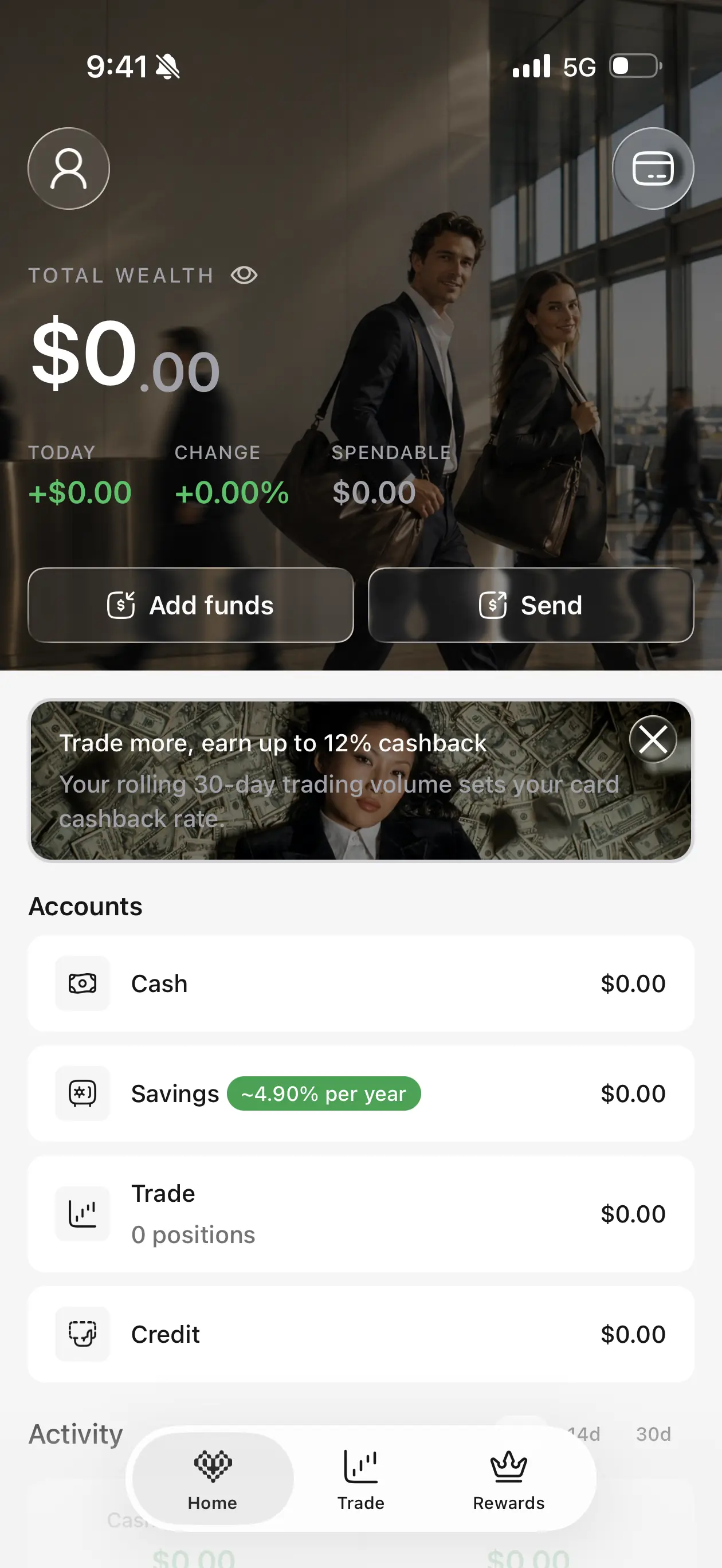
We created and verified a Hyperbeat account from Malaysia in August 2026. The live app showed the card setup, rewards boosters, trading tiers, card types, Cash and Credit modes, and the current fee schedule used in this review.
SpendNode app screenshot
The Hyperbeat account - Card, trading, savings, and funding controls share one interface. This is useful for active Hyperliquid users, but it also means the card is only one part of a larger DeFi account.
Available crypto cards by Hyperbeat in October 2026
1. Hyperbeat Pay Card
Spend Without Selling: Free Visa With Cash and Credit Modes on Hyperliquid
Hyperbeat Pay Card Promo Code SPENDNODE: Get $15
Use Hyperbeat promo code SPENDNODE through SpendNode's Hyperbeat link. Eligible new users receive $15 after completing KYC and making three card transactions.
| Offer detail | Current Hyperbeat offer |
|---|---|
| Hyperbeat Pay promo code | SPENDNODE |
| New-user reward | $15 |
| Requirements | Complete KYC and make 3 card transactions |
| Minimum transaction amount | No minimum stated in the launch offer |
| Signup link | Open Hyperbeat with SPENDNODE |
How to use the Hyperbeat promo code
- Open SpendNode's Hyperbeat signup link.
- Create an account with code SPENDNODE attached.
- Complete identity verification.
- Activate the free virtual Hyperbeat Pay Card.
- Make three card transactions to qualify for the $15 reward.
Hyperbeat has not stated a minimum purchase amount or a completion deadline in the launch offer we reviewed. Do not add either condition unless it appears in your own app.
How the Hyperbeat Account Holds Funds
Each user receives a ManagementAccount, a smart contract wallet deployed on HyperEVM. Turnkey passkeys control the owner key, so there is no seed phrase to write down. Hyperbeat's operator does not receive unrestricted access to the wallet.
Card settlement still needs delegated authority. You set an on-chain allowance that lets the operator settle valid card payments within that amount. The operator cannot send assets to arbitrary external addresses, but settlement-token withdrawals have a default one-day cooldown so pending payments can clear.
The architecture is self-custodial, but not immutable. Hyperbeat documents the ManagementAccount as a UUPS upgradeable proxy, while protocol registries and parameters are administered centrally. That creates upgrade and governance risk alongside the usual smart-contract risk.
Zellic and Nethermind audits are published through Hyperbeat's documentation. Audits reduce implementation risk; they do not insure balances or remove the risks created by third-party protocols, contract upgrades, the card issuer, or the settlement operator.
The Hyperbeat Pay Card
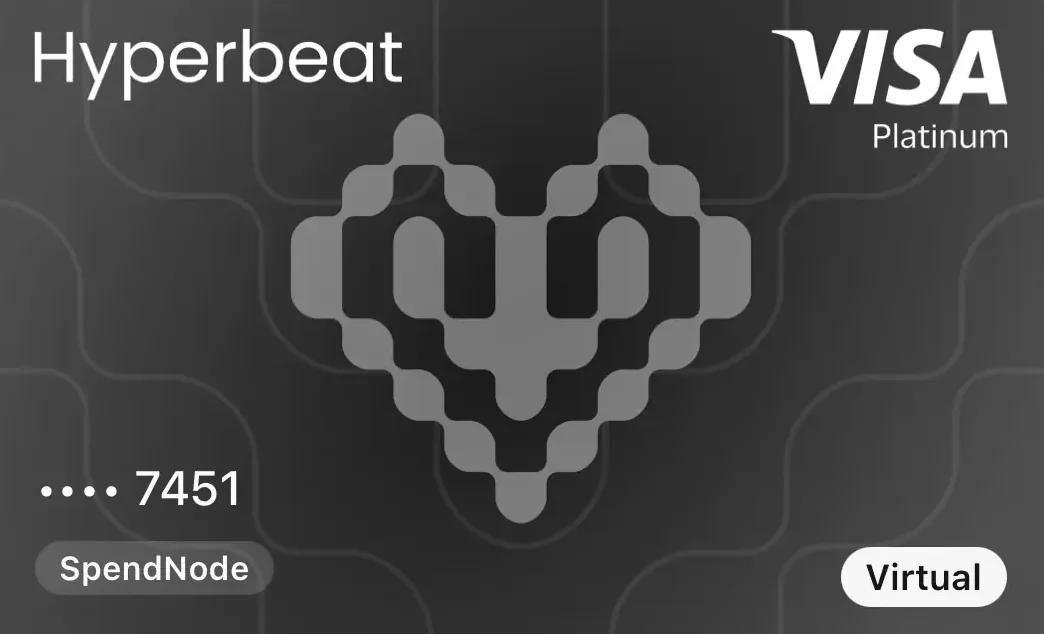
The Hyperbeat Pay Card is a free virtual Visa. Hyperbeat's terms name Third National as issuer under a Visa license. The app supports Apple Pay and Google Wallet, allows up to five virtual cards, and marks a physical card as coming soon.
Two virtual card types are available:
- Digital card - The normal personal spending card.
- Agent card - A separate card with controlled limits for an approved automated agent or delegated workflow.
The default monthly card-spending limit is $100,000. Hyperbeat says it is not currently user-configurable. This is separate from the settlement allowance you grant on-chain, which controls how much the operator can use to settle payments.
Cash Mode and Credit Mode
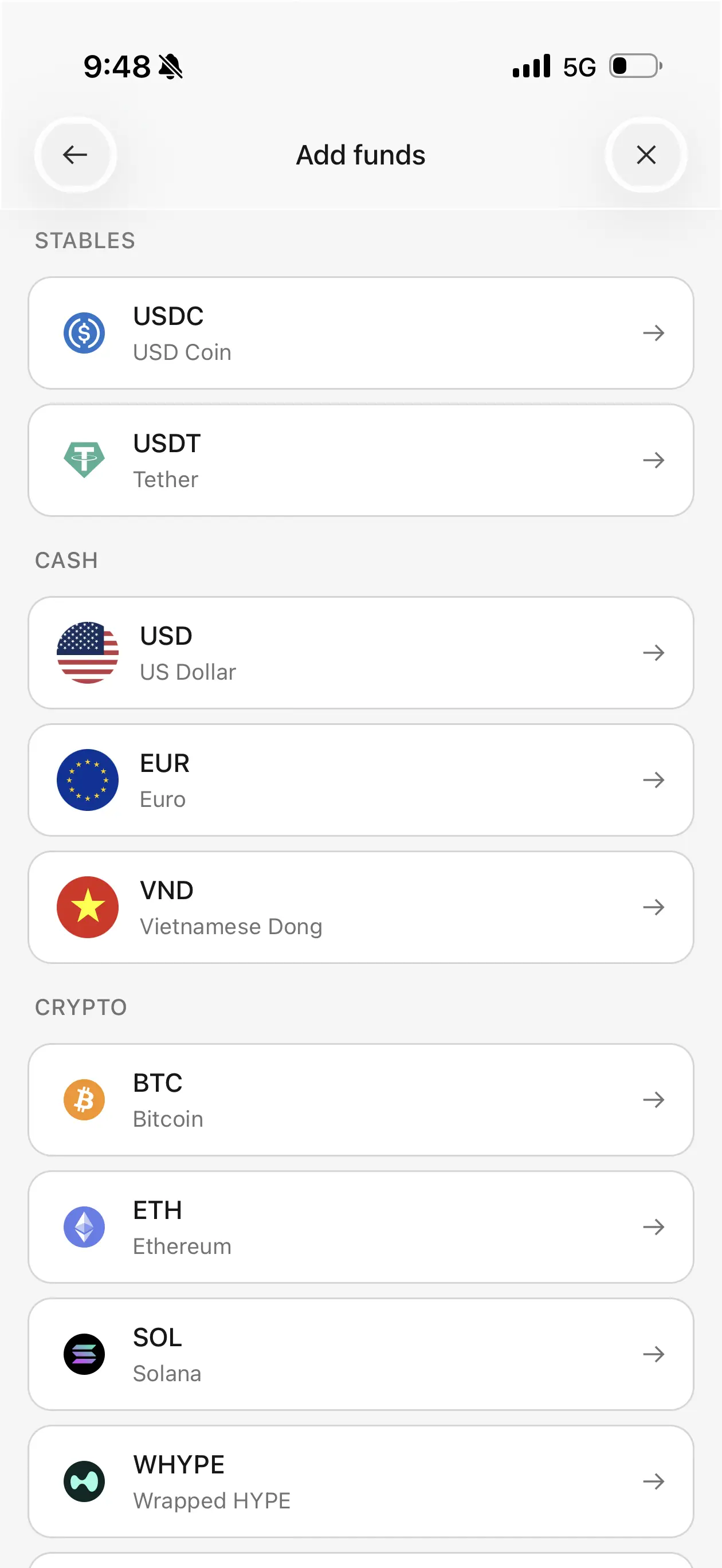
Cash mode spends a funded USD or supported stablecoin balance. It behaves like a debit card from the user's perspective: the card payment settles from money already available in the ManagementAccount.
Credit mode uses supported crypto as collateral and borrows stablecoins through an approved DeFi market such as Morpho when a card payment occurs. It lets a user spend without selling the collateral, but it is not an interest-free credit card.
Interest begins immediately at the underlying protocol's variable rate. There is no grace period. Falling collateral prices can worsen the position's health factor and lead to liquidation, while withdrawing collateral requires operator approval to prevent unsettled debt.
SpendNode app screenshot
Two ways to fund a payment - Cash mode is the simpler option. Credit mode adds borrowing costs, liquidation risk, and more moving parts to an ordinary card purchase.
Cashback: Everyday Rewards vs Trader Rewards
Hyperbeat runs two reward systems. They do not stack. Each eligible dollar of spend receives whichever rate is higher.
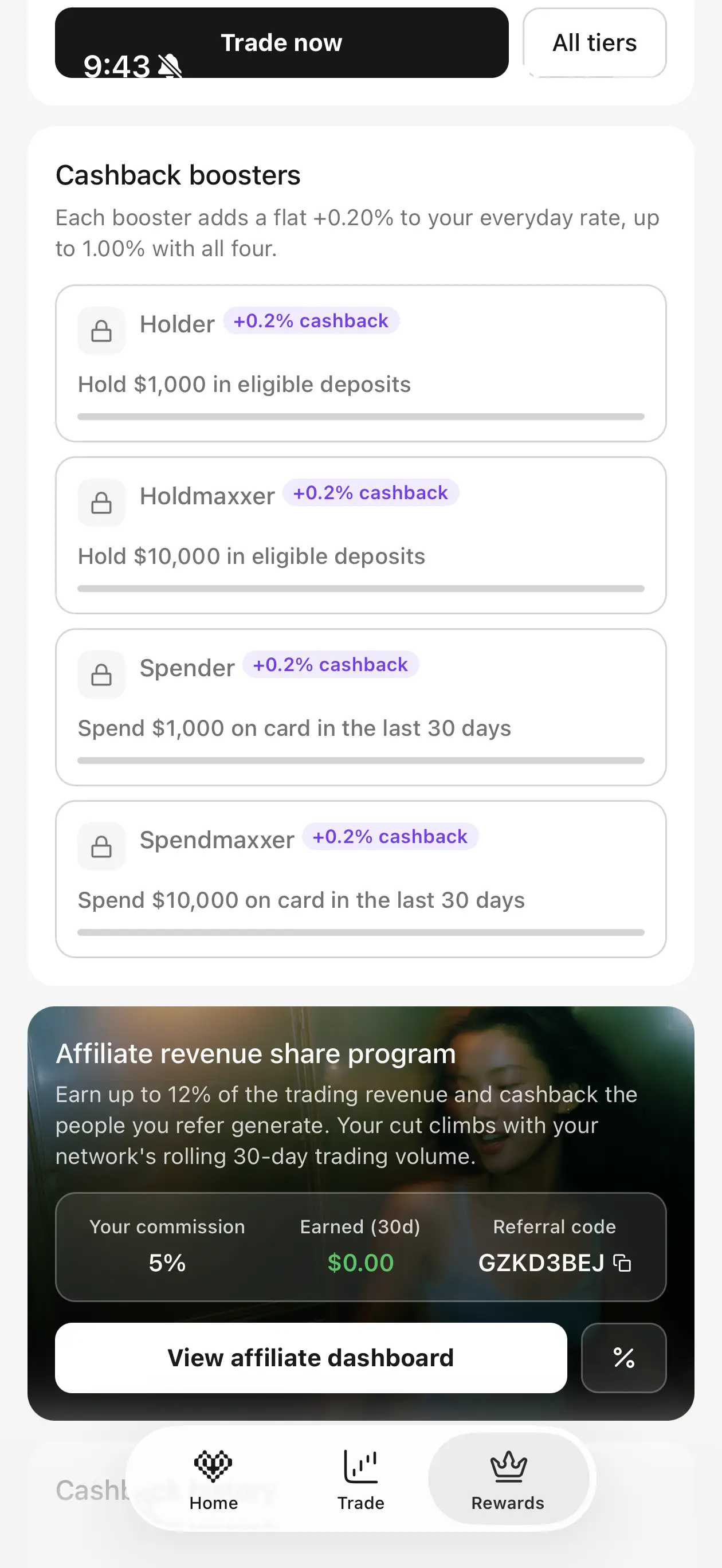
The everyday program starts at 0.2%, not 1%. Four boosters add 0.2 percentage points each:
| Everyday condition | Added cashback |
|---|---|
| Base rate | 0.2% |
| Hold $1,000 in eligible deposits | +0.2% |
| Hold $10,000 in eligible deposits | +0.2% |
| Spend $1,000 in a rolling 30 days | +0.2% |
| Spend $10,000 in a rolling 30 days | +0.2% |
| Maximum everyday rate | 1.0% |
Eligible deposits include beatUSD, the USD+ vault balance, and USD+ supplied as Morpho collateral. Reaching 1% means satisfying both balance conditions and both spending conditions. It is not the default card rate.
SpendNode app screenshot
Everyday boosters - The app shows the full path from 0.2% to 1%. For a user who does not hold and spend five figures, the practical rate sits below the headline ceiling.
The separate trading program is built for very large Hyperliquid accounts:
| 30-day Hyperliquid volume | Cashback | Spend receiving boosted rate |
|---|---|---|
| $1 million | 3% | First $3,300 |
| $5 million | 5% | First $10,000 |
| $10 million | 8% | First $12,500 |
| $25 million | 10% | First $25,000 |
| $50 million | 12% | First $41,700 |
This is why SpendNode records Hyperbeat as an up to 1% everyday card, not a 12% card. The 12% tier requires $50 million of rolling trading volume and applies only to a defined amount of card spend. It is a specialist trading rebate, not a realistic starting rate.
Cashback is calculated in USD and paid in WHYPE roughly 48 hours after a purchase posts. ATM withdrawals, wire transfers, and purchases of financial instruments are excluded.
Fees
| Cost | Hyperbeat Pay |
|---|---|
| Virtual card issuance | Free |
| Annual or monthly card fee | $0 |
| FX fee on non-USD purchases | 0.4% to 1% |
| ATM withdrawal | $1 + 0.65% |
| ATM balance inquiry | $0.60 |
| Declined ATM transaction | $0.60 |
| Credit mode interest | Variable, starts immediately |
The published FX range is charged on non-USD purchases using Visa's conversion process. It is not proof of the total difference from the mid-market rate, so we use Hyperbeat's disclosed 0.4%-1% fee here rather than inventing a measured all-in spread.
Credit mode can cost much more than the card fee table suggests. The underlying borrow rate moves with market utilization, and Hyperbeat's terms allow any applicable markup to be disclosed in the app. Check the quoted rate before each borrowed purchase.
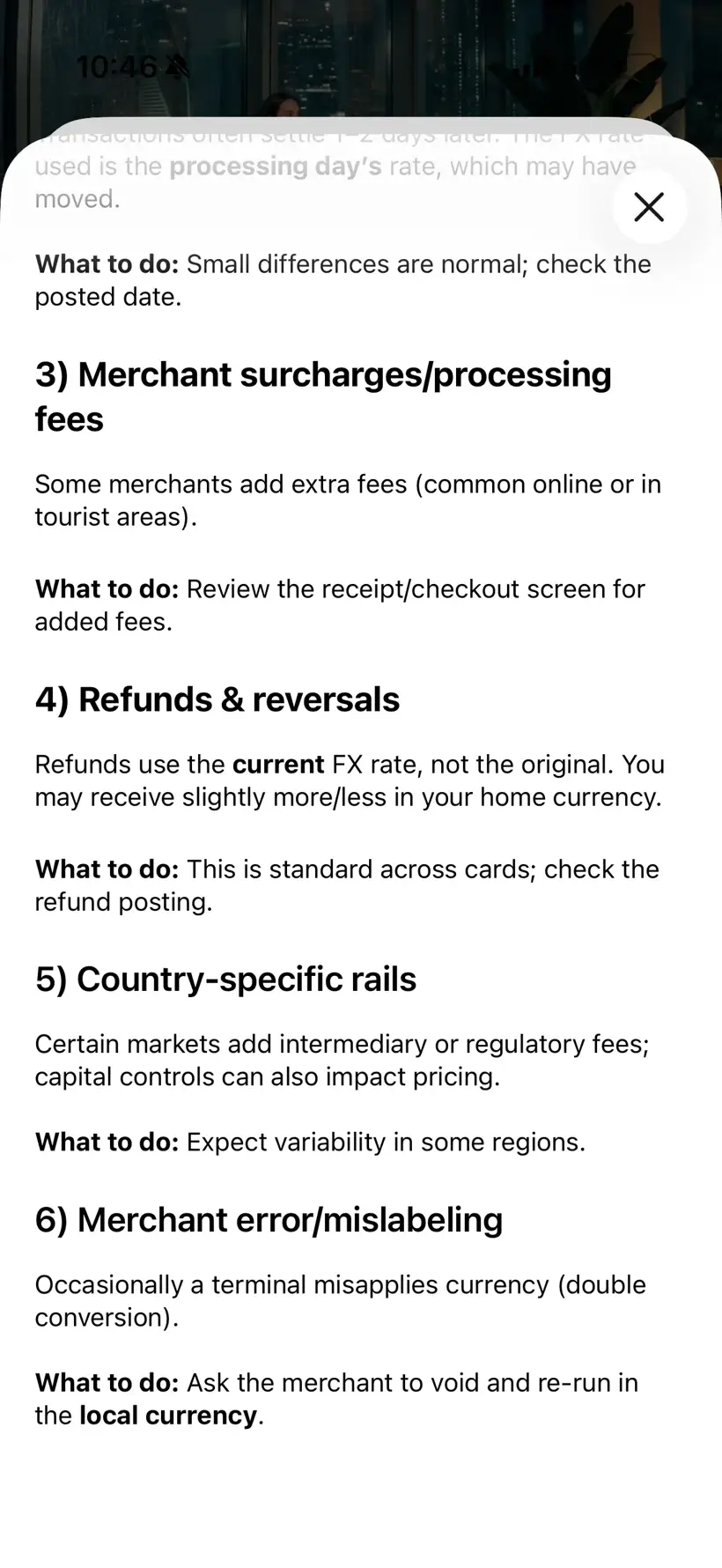
SpendNode app screenshot
Why the final conversion can differ - Hyperbeat lists six factors beyond its 0.4%-1% FX rate, including dynamic currency conversion, settlement timing, merchant surcharges, and refund timing. Always choose the merchant's local currency at the terminal.
How to Apply for the Hyperbeat Pay Card
The card application runs inside Hyperbeat's iOS or Android app. We completed the flow from Malaysia in August 2026.
Step 1. Open Hyperbeat through SpendNode. Use SpendNode's Hyperbeat link so referral code SPENDNODE is attached. Tap Get me in to begin.

SpendNode app screenshot
The first onboarding screen - Hyperbeat calls the account Liquid Banking. The card is one part of the account, alongside trading, savings, and DeFi borrowing.
Step 2. Register your email and confirm the code. Enter your email, switch on "I'm signing up with a referral code," and use SPENDNODE if the link has not filled it automatically.

SpendNode app screenshot
Referral entry is part of signup - The code toggle sits directly below the email field. Use it before completing account creation.
Step 3. Complete identity verification. Hyperbeat asks for government ID and a liveness check. Its help material says clean applications usually take about two minutes, although manual reviews can take longer.
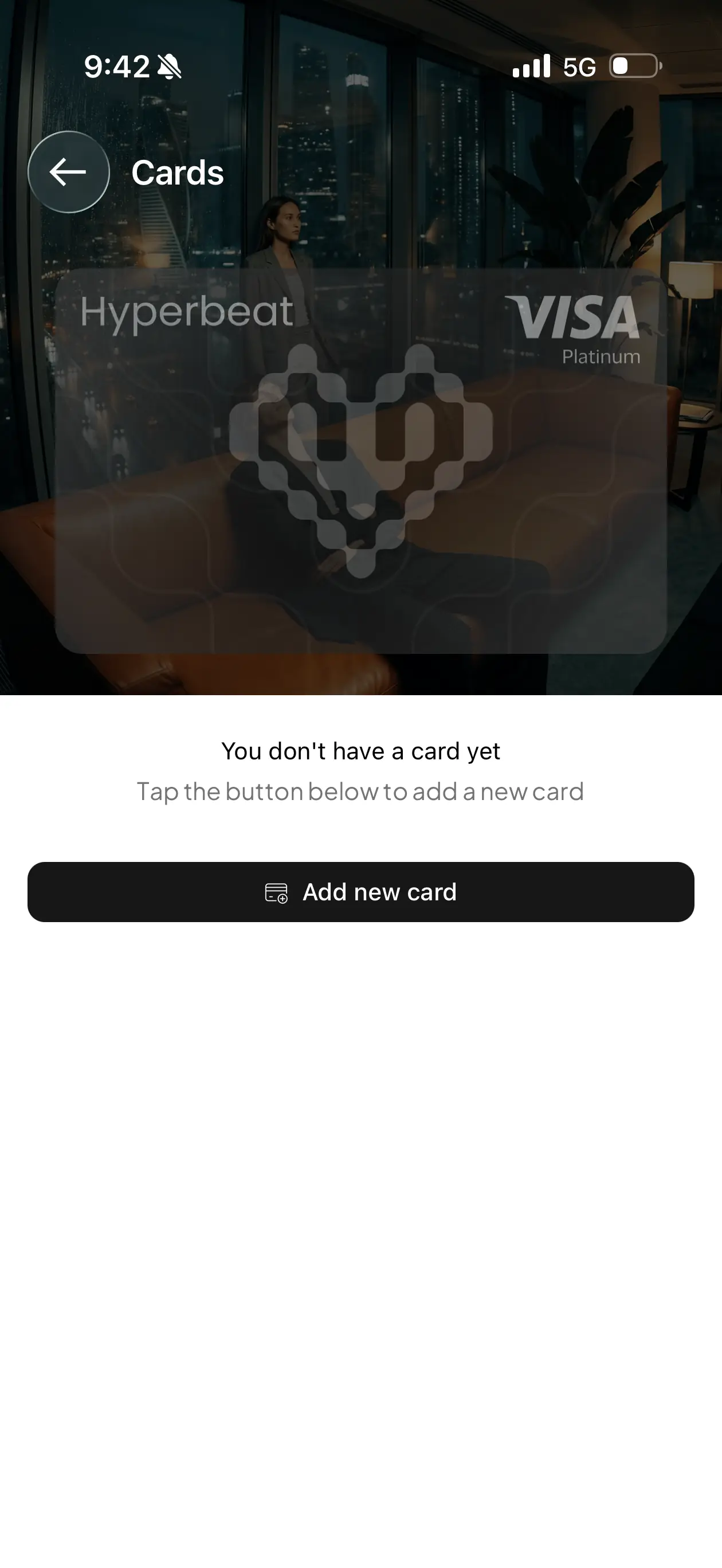
Step 4. Open Cards and add a card. Once KYC clears, open the Cards tab and tap Add new card.
SpendNode app screenshot
The empty Cards screen - A verified account starts here before the first virtual card is issued.
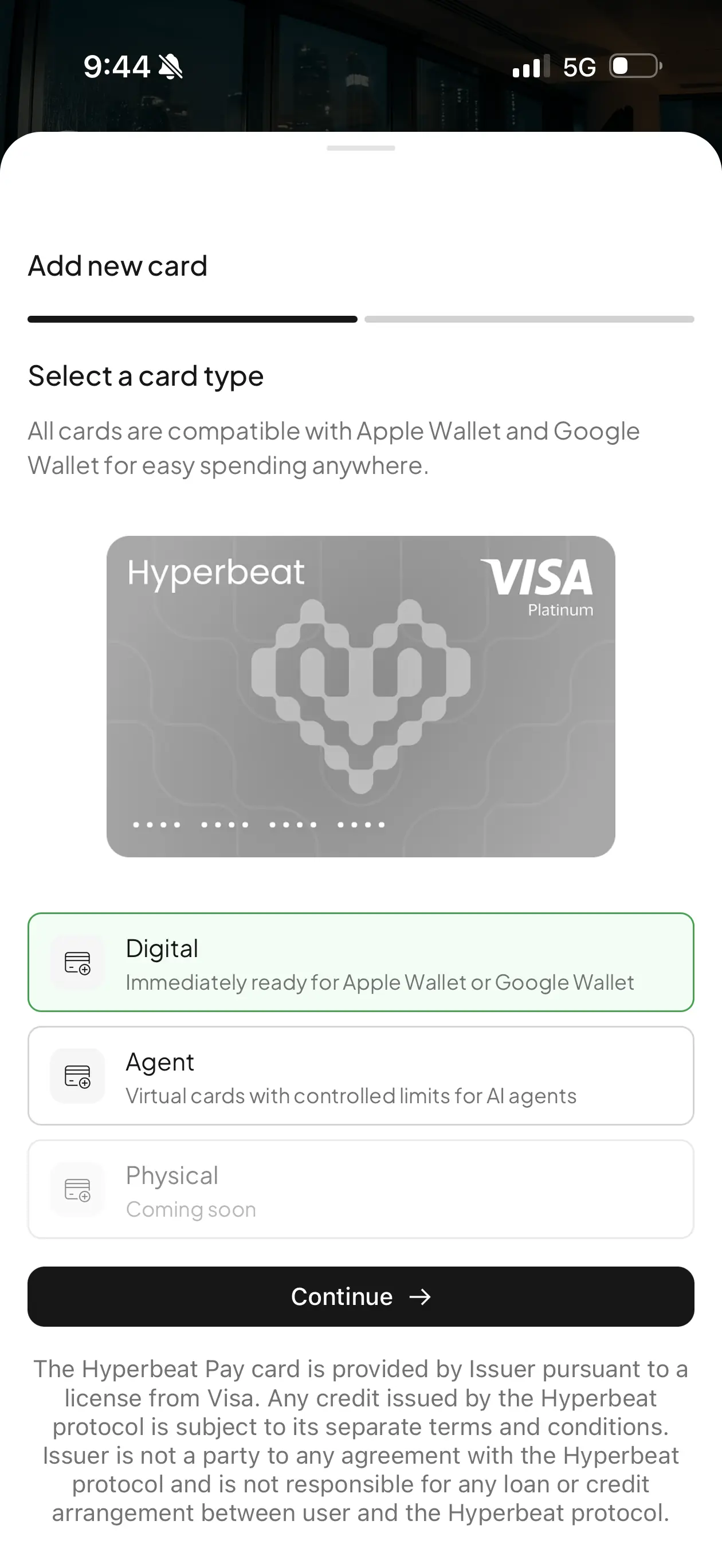
Step 5. Choose Digital or Agent. Digital is the normal personal card and is ready for Apple Wallet or Google Wallet. Agent creates a virtual card with controlled limits for an AI agent. Physical remains marked coming soon.
SpendNode app screenshot
Choose the right card type - Most users should select Digital. The Agent option is a separate controlled-spending tool, not a higher card tier.
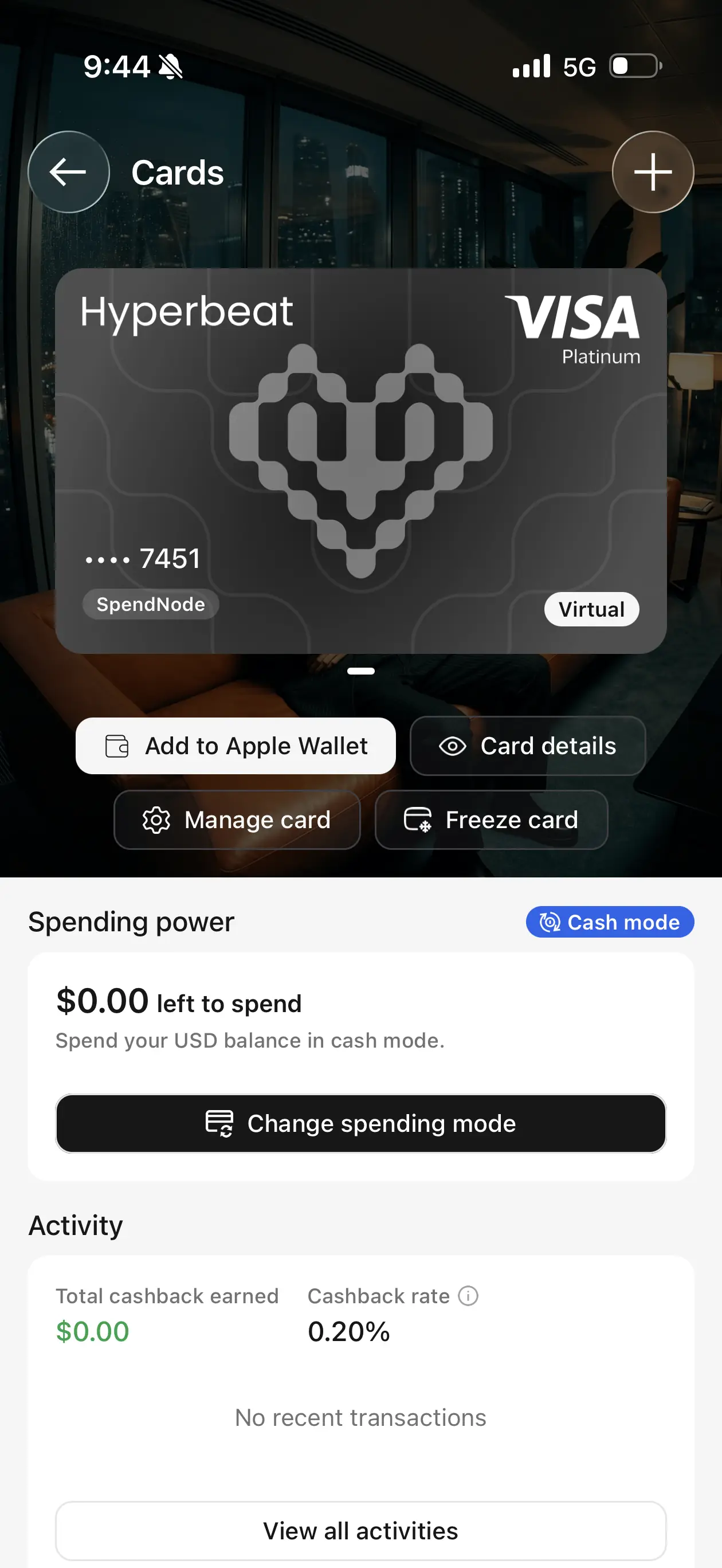
Step 6. Set spending power and add the card to your wallet. Fund Cash mode with USD or a supported stablecoin, or configure Credit mode after reviewing the borrow rate and collateral health. Add the card to Apple Wallet or Google Wallet and make three card transactions to qualify for the $15 new-user reward.
SpendNode app screenshot
Ready to spend - The live card screen keeps wallet provisioning, security controls, spending power, and cashback activity together.
Countries and Availability
Hyperbeat is available in 50 countries as of October 2026. We count a country here when at least one active Hyperbeat card variant lists it, so individual product pages may be narrower.
Available Regions
Africa
Cote d'Ivoire (CI), Egypt (EG), Ghana (GH), Kenya (KE), Morocco (MA), Nigeria (NG), Senegal (SN), South Africa (ZA), Uganda (UG), Zambia (ZM)
Americas
Antigua and Barbuda (AG), Argentina (AR), Bahamas (BS), Barbados (BB), Belize (BZ), Bolivia (BO), Brazil (BR), Cayman Islands (KY), Colombia (CO), Costa Rica (CR), Dominican Republic (DO), Ecuador (EC), El Salvador (SV), Grenada (GD), Guatemala (GT), Guyana (GY), Honduras (HN), Mexico (MX), Panama (PA), Paraguay (PY), Peru (PE), Saint Kitts and Nevis (KN), Saint Lucia (LC), Saint Vincent and the Grenadines (VC), Suriname (SR), Trinidad and Tobago (TT), Turks and Caicos Islands (TC), United States (US), Uruguay (UY)
Asia
Bangladesh (BD), Hong Kong (HK), Japan (JP), Malaysia (MY), Pakistan (PK), Philippines (PH), Singapore (SG), Thailand (TH), United Arab Emirates (AE)
Oceania
Australia (AU), New Zealand (NZ)
Major Restricted Markets
These major markets are not currently listed for this vendor. Confirm eligibility with the issuer before applying, especially where card tiers have different country rules.
Americas
Canada (CA), Chile (CL)
Asia
China (CN), India (IN), Indonesia (ID), South Korea (KR), Taiwan (TW), Turkey (TR)
Europe
Austria (AT), France (FR), Germany (DE), Italy (IT), Netherlands (NL), Poland (PL), Portugal (PT), Spain (ES), Switzerland (CH), United Kingdom (GB)
US availability is state-dependent. Hyperbeat's help pages conflict on Wisconsin, listing it in both supported and prohibited state lists. The in-app eligibility result should be treated as authoritative until Hyperbeat resolves that documentation error.
Features can also launch at different times by region. Cash mode, Credit mode, ramps, and other account functions may not all appear for every eligible cardholder.
Is Hyperbeat Safe?
Hyperbeat separates custody from card operations better than a normal custodial exchange card. The user controls the ManagementAccount owner key through Turnkey, while the card operator receives narrow settlement permissions. That limits what a compromised or failed operator should be able to do.
The remaining risks are substantial enough to understand:
- Contract risk - The account and connected DeFi markets can contain exploitable code despite audits.
- Upgrade risk - The account implementation is upgradeable and protocol registries are administered.
- Credit risk - Borrowed spending can accrue interest and liquidate collateral.
- Issuer risk - The Visa stops working if the card program or issuer relationship ends.
- Token risk - WHYPE cashback can move in value before or after receipt.
Money placed into yield or collateral positions carries more risk than a plain funded spending balance. Users who want only the card should keep the setup simple and avoid Credit mode until they understand Morpho rates and liquidation mechanics.
Is Hyperbeat a Scam?
We found no scam markers in the product we tested. Hyperbeat publishes its operating company, contract code, Zellic and Nethermind audits, card terms, fee help pages, and the Third National issuing relationship. The iOS and Android apps completed a real KYC and card-issuance flow.
That does not make the product low-risk. The account contracts are upgradeable, Credit mode relies on external DeFi markets, WHYPE rewards fluctuate, and the card depends on its issuer and settlement operator. Those are disclosed product risks rather than evidence that the app is fake.
Hyperbeat vs Other Crypto Cards
-
vs ether.fi - Both combine self-custodial accounts with collateralized spending. ether.fi Core pays a higher 3% rate on its first monthly band; Hyperbeat starts at 0.2% but ties the card more directly to Hyperliquid trading and supports Agent cards.
-
vs Solid - Solid starts at 3% USDC cashback with a $50 monthly cap and centers the account on stablecoin savings. Hyperbeat pays in WHYPE, starts lower, and publishes more detail on its Morpho-backed Credit mode.
-
vs Plasma One - Plasma Lite pays 2% XPL on the first $500 each month and 0.1% above it. Hyperbeat's everyday rate depends on balance and spend boosters, while its higher card rates depend on Hyperliquid trading volume.
Who Should Use Hyperbeat?
Hyperbeat makes the most sense for an existing Hyperliquid user who wants one account for trading, stablecoin balances, and card spending. The free card and self-custodial structure are useful even without the trader tiers.
It is less compelling as a cashback-first card. An ordinary user starts at 0.2%, and the full 1% everyday rate asks for $10,000 held plus $10,000 spent over 30 days. Users choosing solely on reward rate have stronger options elsewhere.
The 3%-12% ladder changes the calculation only for traders already generating seven- or eight-figure monthly volume. Trading more to chase card cashback would expose far more capital to fees and market risk than the reward can justify.
The Bottom Line
Hyperbeat Pay tries to do more than most self-custodial cards. Cash mode is practical, Credit mode adds a feature few cards offer, and the account fits naturally into Hyperliquid. It is also complicated. Rewards, settlement permissions, borrowing, and smart-contract upgrades all need careful reading.
Judge the card at its everyday rate, not the 12% specialist tier. For most users that means 0.2%-1% WHYPE cashback, a free virtual Visa, 0.4%-1% published FX, and a choice between funded spending and DeFi-backed borrowing.
Use code SPENDNODE through SpendNode's Hyperbeat link to qualify for the $15 new-user reward after KYC and three card transactions.
Sources and Verification
- Hyperbeat official website
- Hyperbeat documentation
- Hyperbeat Help Center
- Hyperbeat Terms of Use
- Hyperbeat Apple Cashback Campaign Terms
- Hyperbeat iOS app tested by SpendNode from Malaysia in August 2026
Written by Aleksandar Dukic
Frequently Asked Questions
Is Hyperbeat crypto card available in the United States?
Yes. Hyperbeat crypto card is available in the United States.
Is Hyperbeat a real bank?
No. Hyperbeat describes itself as "Liquid Banking": banking-style services (accounts, card, savings, credit, ramps) rebuilt as smart contracts on Hyperliquid's HyperEVM. Assets sit in a ManagementAccount contract you control rather than on a bank balance sheet. The platform is operated by Zoeion Ltd Corporation (Panama), and the card is issued by Third National under a Visa license.
Does Hyperbeat have a promo code or discount code?
Yes. Sign up through SpendNode's Hyperbeat link and code SPENDNODE is applied automatically. Eligible new users receive $15 after completing KYC and making three card transactions. Hyperbeat's launch offer does not state a minimum transaction amount or completion deadline.
How much cashback does the Hyperbeat card pay?
Everyday spend earns a 0.2% base rate, rising to 1% if you unlock all four boosters (hold $1,000 and $10,000 in eligible deposits, spend $1,000 and $10,000 on the card in a rolling 30 days). Active Hyperliquid traders unlock a separate ladder: $1M of 30-day volume pays 3% on the first $3,300 of spend, scaling to 12% on $41,700 at $50M. Each dollar earns the higher of the two rates, never both. Cashback is paid in WHYPE tokens about 48 hours after a transaction posts.
What is the difference between Cash mode and Credit mode?
Cash mode spends the USD or stablecoin balance in your account directly, like a debit card. Credit mode posts your crypto (BTC, ETH, SOL, HYPE, and other supported assets) as collateral on Morpho and borrows stablecoins at the moment you pay, so you spend without selling. Credit mode interest accrues immediately at Morpho's variable rates with no interest-free period, and you are responsible for your own health factor and liquidation risk.
Is my money safe if Hyperbeat fails?
Your assets are held in your own ManagementAccount smart contract, not by Hyperbeat. The operator role can only settle card transactions up to a spending limit you define and cannot move assets to other addresses. The contracts are audited by Zellic and Nethermind, with keys managed via Turnkey passkeys. Standard smart-contract and platform risks still apply, and the card program depends on the issuer relationship staying live.
User Reviews
Reviews are moderated and may take a moment to appear.