


Best Crypto Cards 2026
Spend your digital assets anywhere. We analyze 60+ verified cards from 30+ issuers based on real-world spreads, custody security, and reward ROI.
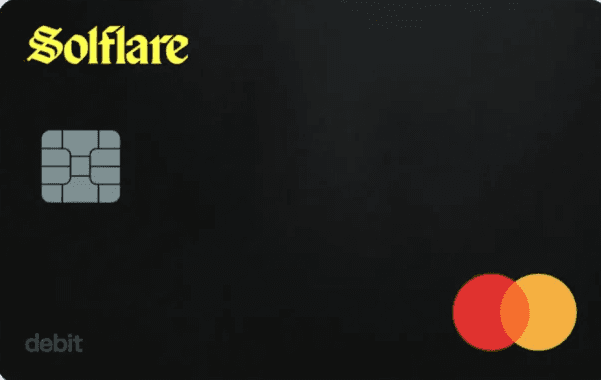


My colleagues and I have put more than $40,000 through crypto cards to see what happens after the marketing ends. Some paid instantly. Some hid their real cost in spreads, limits, or delays. On a few, we were still waiting months later for rewards that were supposed to be simple.
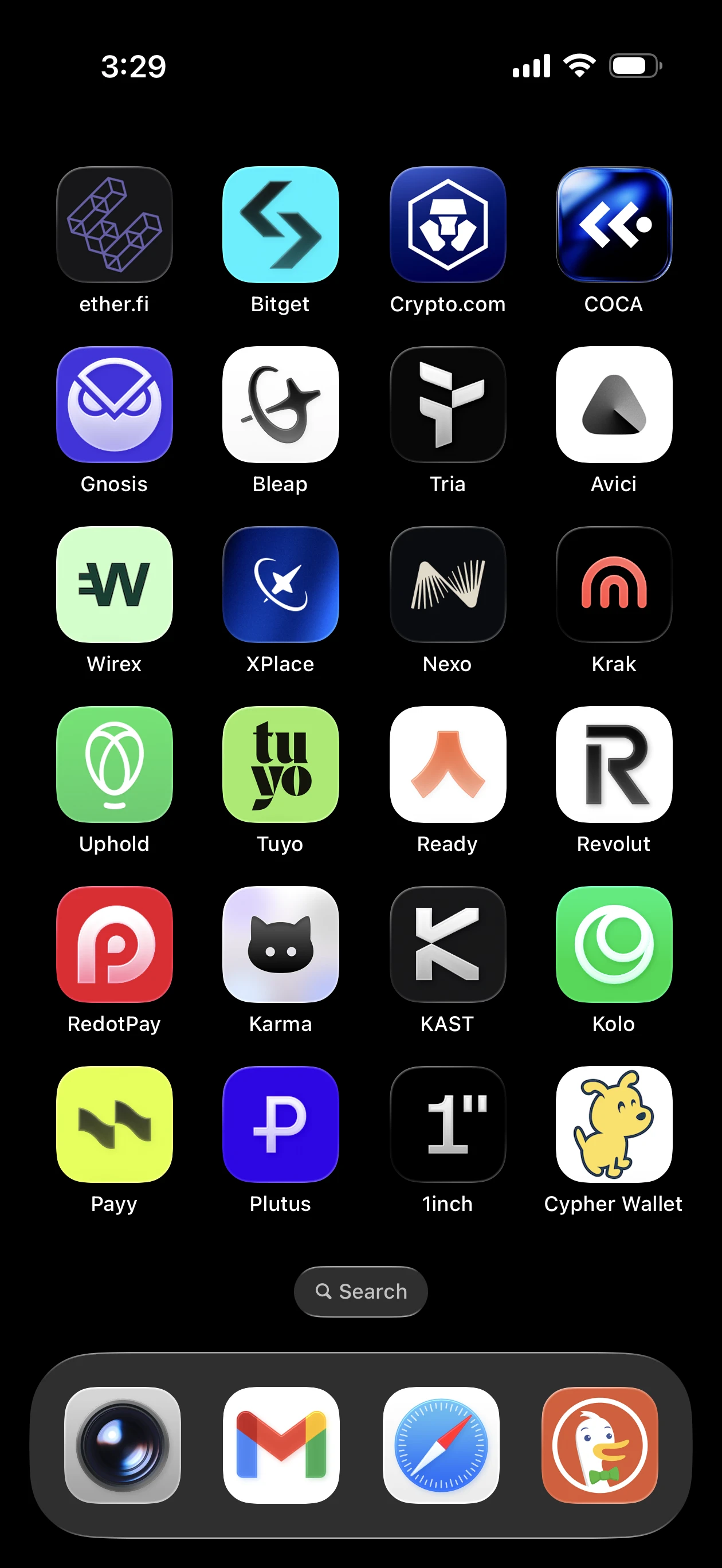
When I started this journey, all I wanted was to spend my crypto without going through a bank. At the time, only a handful of cards existed. Then one by one, competition started growing - more cards launching with better perks, lower fees, and wilder cashback promises - to the point where my iPhone home screen became a full page of virtual crypto cards.
That is when I decided to start tracking my actual expenses, real ROI, and what mattered most to me so I could get the most out of each one. Once I started doing that, the idea of building a comparison site felt obvious. If you want to compare cards yourself, you can use our comparison tool here.
So what is a crypto card, exactly? A crypto card is a Visa or Mastercard-branded payment card that lets you spend cryptocurrency, including Bitcoin, Ethereum, stablecoins like USDC and USDT, and dozens of other digital assets, at merchant terminals and online checkouts worldwide.
When you tap or swipe, the card converts your crypto into the local fiat currency in real time. The merchant receives regular dollars, euros, or pounds, while you get the convenience of spending crypto almost as easily as spending from a bank account.
That is also why crypto cards are harder to compare well than most people expect. The headline cashback rate is only part of the story. The real differences usually come from custody model, hidden spread, reward payout speed, regional availability, funding flow, and whether the card still makes sense after fees and restrictions show up.
So what mattered most when we ranked the cards? There is no single factor. We weighted rewards and total financial value heavily because that is usually the first thing people compare. But we also tested whether each card works with Apple Pay and Google Pay, how long KYC actually takes, and how the app handles day-to-day spending.
Security model and custody type matter to a lot of users, and so does customer support, so both factored into our rankings. It would also be hard to justify ranking a card that is only available in one country or a narrow region, so most cards here work globally or across multiple major markets.
Every fee and reward rate is sourced from official issuer documentation and checked against our methodology.
It is reasonable to wonder whether affiliate partnerships influence rankings. If they did, this page would be useless. We keep commercial placements separate from editorial rankings for that reason.
Sponsored visibility is handled in clearly marked placements elsewhere, while the rankings here are based on the factors that actually matter to users: rewards, real costs, custody, usability, and regional fit.
Without further ado, here are our top picks.
Top Crypto Cards of 2026

1. Tria Signature Card
High-Yield Mastery: 15% APY + Visa Signature Perks

2. ether.fi Core Card
Zero Barriers: 3% Back on Every Purchase, No Stake Required
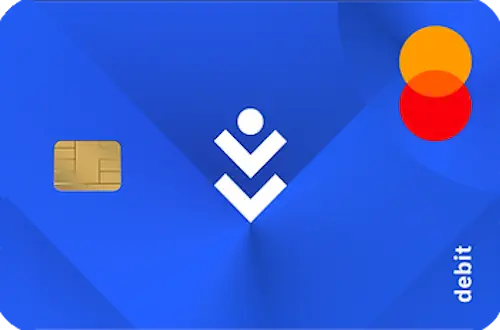
3. COCA Visa Card
Self-Banking: 8% Cashback + 6% APY + 0% FX

4. Kolo Card
Earn Bitcoin on Every Purchase: 5% BTC Cashback + Visa Platinum + 170+ Countries

5. KAST K Card
Early Adopter Access: 2% Points + 4% $MOVE on Every Swipe
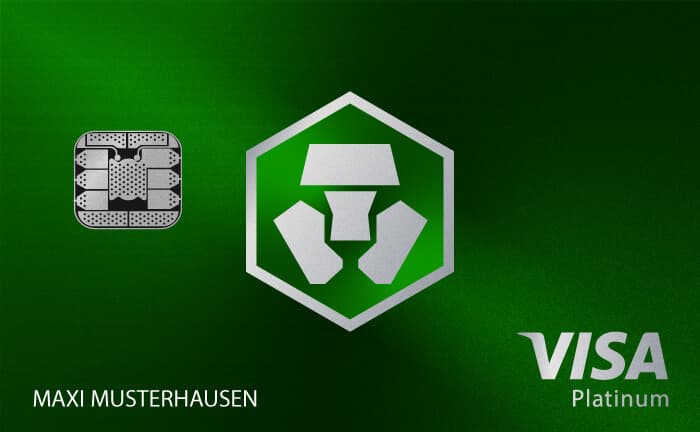
6. Pro (Royal Indigo / Jade Green)
The Lifestyle Sweet Spot: 3% Cashback + Lounges + Netflix
Honorable Mention
This card would rank alongside the picks above if it were available globally. It is currently limited to the EEA and Switzerland.
7. Bleap Mastercard
Secure DeFi Spend: Tiered USDC Cashback + 0% FX Fees
Looking for Something Specific?
The cards above are our best all-around picks. But "best" depends on what you actually need. Someone optimizing for cashback has different priorities than someone who needs self-custody or zero FX fees for international spending. If one factor matters more than everything else, these pages rank cards on that single criterion:
| What you need | Where to look | Top picks |
|---|---|---|
| Maximum cashback | Cards with cashback | Kolo 5% BTC, Tria 4.5%, COCA up to 8% |
| Full control of my keys | Self-Custody Cards | Gnosis Pay, Solflare, Cypher, Ledger, Ready, Payy |
| International travel | No-FX-Fee Cards | Tria 0%, Gnosis Pay 0%, Bitpanda 0%, Kraken 0% |
| Stablecoin spending | Stablecoin Cards | ether.fi, Gnosis Pay, Kolo, KAST, Bleap |
| Airdrop exposure | Airdrop Cards | ether.fi points, KAST Season 5, xPlace XP |
| No annual fee | Free Cards | Kolo, KAST, ether.fi Core, Bleap, Crypto.com Midnight Blue |
| Minimal KYC | No-KYC Cards | RedotPay, MetaMask, Bleap, KAST, 1inch |
| Borrow against crypto | Crypto-Backed Cards | Nexo 1.9% APR, ether.fi collateralized spending |
| I live in the US | US Cards | Coinbase, Gemini, Tria, Cypher, Avici |
| I live in Europe | EEA Cards | 20+ options including Gnosis Pay, Bleap, Bitpanda, Plutus, Ready |
How Crypto Cards Actually Work
If you are new to crypto cards or just want to understand the mechanics before picking one, here is how the whole thing works under the hood.
A crypto card bridges the gap between digital assets and everyday spending. You hold Bitcoin, Ethereum, USDC, or other cryptocurrencies in a wallet or exchange account. The card is linked to that balance.
When you make a purchase - groceries, a flight, a subscription - the card issuer converts just enough crypto to cover the transaction amount in the merchant's local currency. The merchant receives fiat through the Visa or Mastercard network, exactly like any other card payment. The entire conversion happens in seconds.
Three types of crypto cards exist today:
Prepaid and debit cards are the most common. You load crypto onto the card or link it to an exchange balance, and spend what you own. Crypto.com, Coinbase, RedotPay, KAST, and most other issuers offer this model. There is no credit line - when your balance runs out, the card declines.
Credit cards work like traditional credit cards but pay rewards in cryptocurrency instead of airline miles or cash back. Gemini issues a Mastercard World Elite credit card in the US that pays up to 4% back in your choice of 50+ cryptocurrencies. You spend dollars, pay your bill monthly, and accumulate crypto rewards.
Crypto-backed cards let you borrow against your crypto holdings without selling them. Nexo offers a credit line at 1.9-13.9% APR (depending on loyalty tier) backed by your deposited crypto collateral. Avici issues a secured card through Rain where your crypto collateral funds a USD spending limit. The key advantage is that borrowing against crypto is not a taxable event in most jurisdictions, while selling crypto triggers capital gains tax.
Who Holds Your Crypto? The Custody Question
Custody is the single most important decision when choosing a crypto card. It determines what happens to your money if the card company fails, gets hacked, or freezes your account.
Custodial cards keep your crypto in the exchange's wallet. The exchange controls the private keys. If the company fails, you are an unsecured creditor. FTX (2022) - users lost 100% initially, partial recovery after 2+ years of bankruptcy. Celsius (2022) - approximately 70% recovery after 18 months. Voyager (2022) - approximately 35%. These collapses permanently changed how the market thinks about custodial risk and directly fueled the self-custody movement.
Self-custodial cards let you control the private keys. The card issuer facilitates conversion at the point of sale but never takes custody of your funds. If the card company shuts down, your assets remain on-chain.
The trade-off: full self-custody means full responsibility. Lose your seed phrase and there is no password reset. Worth noting: 1inch Card is wallet-branded but actually custodial (issued by Baanx) - your funds leave your control when loaded.
Smart wallet and hybrid cards use account abstraction, MPC, or social recovery to give you self-custody security without the seed phrase anxiety. Your keys are split across multiple parties or secured behind guardian-based recovery, so losing one factor does not mean losing everything. ether.fi, Tria, COCA, and Bleap all use variations of this approach.
| Custody Model | Who Holds Keys | Company Fails | Recovery | Best For |
|---|---|---|---|---|
| Custodial | The exchange | You are unsecured creditor | Customer support, password reset | Beginners, convenience |
| Self-Custodial | You (seed phrase) | Your funds are unaffected | Seed phrase only | Security-conscious users |
| Smart Wallet / MPC | Split across parties | Your funds are unaffected | Social recovery, guardians | Balance of security and usability |
How to choose: If you hold under $1,000 in crypto and value simplicity, custodial cards from regulated issuers (Coinbase, Crypto.com, Kraken) offer the path of least resistance.
If you hold significant value or distrust centralized platforms after watching exchanges collapse, self-custodial cards (Gnosis Pay for Europe, MetaMask or Solflare for broader availability, Cypher for Cosmos/IBC ecosystem users) protect your assets regardless of what happens to the issuer.
If you want self-custody without the seed phrase anxiety, smart wallet cards (ether.fi, Tria, COCA) offer a middle ground with account abstraction or social recovery. Browse our full self-custody card comparison for detailed breakdowns.
The Real Cost of a Crypto Card: Fees, Spreads, and Hidden Charges
A crypto card advertised as "0% fees" can still cost you 2-3% per transaction. The crypto card fee structure has up to five layers, and the one that costs the most is the one that is hardest to see.
The Five Fee Layers
1. Conversion spread (0.1% - 3%) - The difference between the true market price (what CoinGecko or CoinMarketCap shows) and the rate the card gives you. A card might quote you Bitcoin at $98,000 when the market price is $100,000 - that 2% gap is $2,000 per Bitcoin, or $2 on a $100 purchase.
This is the primary revenue source for most crypto card issuers, and it is almost never disclosed upfront. Cards that allow stablecoin spending (USDC, USDT) have the tightest spreads (0.1-0.5%) because there is virtually no volatility to mark up.
2. Transaction fee (0% - 1.5%) - A flat percentage charged on every purchase. Most major issuers charge 0%, but some add transaction fees on top of spreads. Bitget Wallet Card charges 1.7% FX (with a $400/month zero-fee quota). xPlace cards charge a 1% transaction fee that reduces net cashback. Bitget Exchange Card charges 0.9% per transaction.
3. Foreign exchange fee (0% - 3%) - Charged when you spend in a currency different from the card's base currency. This is the fee that hits travelers hardest.
Cards with true 0% FX include Tria, Gnosis Pay, Bitpanda, Ready Metal, and Wirex (35 countries). Nexo charges a low 0.2% weekday / 0.7% weekend within EEA/UK/CH. Others charge 1-3% that compounds on top of the conversion spread. See our full no-FX-fee card comparison.
4. ATM withdrawal fee ($0 - $5+) - Charged when you withdraw cash from an ATM. Most cards charge a flat fee ($1-3) plus a percentage (0.5-2%). Some premium tiers include free monthly ATM allowances: Crypto.com Obsidian ($1,000/month free), Ready Metal ($800/month free), Avici Signature ($0 ATM fees).
5. Annual fee ($0 - $500) - A yearly charge for card membership. Most entry-level tiers are free: KAST Standard, RedotPay Virtual, ether.fi Core, Crypto.com Midnight Blue all cost $0/year.
Premium tiers carry annual fees: Avici Signature ($30/year), Ready Metal (120 USDC/year). Crypto.com tiers above Ruby require CRO staking, which is a form of opportunity cost even if no explicit annual fee exists. See our full no-annual-fee card comparison.
How to Minimize Your Total Cost
Spend stablecoins whenever possible. When you spend USDC or USDT, the card converts a dollar-pegged asset to dollars - minimal volatility means minimal spread opportunity for the issuer. Spreads on stablecoin transactions are typically 0.1-0.5%, compared to 1-3% on volatile assets like BTC or ETH. Cards that support direct stablecoin spending include Gnosis Pay, ether.fi, RedotPay, KAST, Ready, MetaMask, COCA, Kolo, and Payy. See our stablecoin card comparison.
Avoid the staking trap. High cashback rates that require locking thousands of dollars in a volatile platform token (CRO, WXT, BGB) can cost more in token depreciation than they earn in rewards.
Example: A card offering 3% cashback with a $5,000 CRO stake generates $720/year on $2,000/month spend. But if CRO drops 20% (which happened in Q4 2025), the $1,000 stake loss wipes out nearly 17 months of cashback earnings. For most users spending $1,000-3,000 per month, a no-stake card with 1-4% cashback delivers better risk-adjusted returns. See our detailed reward comparison.
Check FX fees before traveling. A card with 0% transaction fee but 3% FX markup costs you 3% on every purchase abroad. For international travel, a zero-FX card paying from stablecoins gives the tightest total cost - potentially under 0.5% all-in versus 3-5% on a card with stacked fees. See our no-FX-fee comparison and our travelers guide.
Compare the full fee stack, not individual fees. A card advertising "0% transaction fee" with a 2.5% spread costs more than a card with a 1% transaction fee and 0.3% spread. The only way to know the true cost is to test with a small transaction and compare the amount deducted from your balance against the CoinGecko mid-market rate at the time of purchase.
How to Choose the Right Crypto Card
The best crypto card depends on four factors, in this order of importance:
1. Where You Live
Regional availability eliminates most options before you start comparing features. A US resident choosing between 5-6 cards faces a fundamentally different decision than a European resident choosing between 20+. Start by checking your country guide to see which cards are actually licensed and available in your market. Do not apply for a card that does not explicitly list your country in its supported regions - you risk account closure and frozen funds.
2. Your Custody Preference
This is your security decision, and it is permanent for the life of that card relationship. If you lived through the FTX collapse or simply believe in "not your keys, not your coins," self-custodial cards (Gnosis Pay, MetaMask, Solflare, Ledger, xPlace, 1inch, Ready, Cypher, Payy) are the only category worth considering.
If you prioritize convenience and trust regulated exchanges, custodial cards from Coinbase, Crypto.com, or Kraken are appropriate. If you want self-custody with training wheels, smart wallet cards (ether.fi, COCA) split keys across parties with social recovery. There is no universally correct answer - only different risk tolerances. See our full self-custody comparison.
3. Your Fee Sensitivity
If you spend $500/month, a 2% hidden spread costs you $120/year. At $3,000/month, the same spread costs $720/year. At $10,000/month, it costs $2,400/year.
For low spenders, fee differences between cards are marginal and convenience matters more. For high spenders ($3,000+/month), the difference between a 0.3% spread (stablecoin spending on Gnosis Pay) and a 2% spread (BTC conversion on a generic card) is hundreds of dollars annually. High spenders should optimize for the lowest total fee stack, not the highest cashback rate. See our high spenders guide.
4. What You Actually Want From Rewards
No-stake cashback (Tria 4.5%, COCA 1% Starter, Kolo 5% BTC, ether.fi Core 3%): Your rewards are pure profit with no capital at risk. Best for most users.
Staking-based cashback (Crypto.com 1-5%, Wirex 2-8%, COCA up to 8% with staking $COCA): Higher advertised rates require locking volatile platform tokens.
The math only works if the token holds value over your staking period and your monthly spend is high enough for cashback to outweigh stake depreciation risk. Best for users who already hold the platform token for other reasons.
Points and airdrop exposure (ether.fi tiers, xPlace, KAST): Speculative upside with no capital lockup requirement. Points may convert to valuable tokens at a future token generation event, or they may be worth nothing. Best for crypto-native users who want exposure to potential upside without committing capital.
What This Looks Like in Practice
Here are a few real decision paths to show how the four factors above play out:
A European digital nomad who values security and travels frequently: Gnosis Pay for self-custody and 0% FX across the eurozone, or Ready Metal for 3% STRK cashback, 0% FX, and $800/month free ATM withdrawals across EEA and UK. See our digital nomad guide.
A US beginner who wants simple crypto exposure through spending: Coinbase Card for up to 4% BTC cashback with no staking requirement and FDIC-insured USD balances, or Gemini Credit Card for up to 4% in 50+ cryptocurrencies as a true credit card with no annual fee. See our beginners guide.
A DeFi-native user who wants to spend from their own wallet: MetaMask Card for Ethereum ecosystem users, Solflare Card for Solana ecosystem users, Cypher for Cosmos/IBC/Hyperliquid users who need 15+ chain support, or ether.fi for users who want to earn restaking yield while maintaining card spending capability. See our DeFi users guide.
A high-volume trader who wants maximum cashback on large spend: Crypto.com Obsidian offers 5% cashback with a $400,000 CRO stake, but that only makes economic sense if you are already long-term bullish on CRO and would hold it regardless of the card benefit. See our high spenders guide.
A privacy-focused user who wants minimal identity exposure: RedotPay Virtual for email-only access, or MetaMask Virtual for self-custody with streamlined verification. KAST Standard requires full KYC but completes in 2 minutes. See our privacy-focused users guide and no-KYC comparison.
Crypto Cards vs Traditional Bank Cards
Crypto cards are not replacing traditional bank cards. They serve different purposes and work best as complementary tools in a broader financial strategy. Here is the honest comparison:
| Feature | Crypto Cards | Traditional Cards |
|---|---|---|
| Rewards | 1-8% in crypto (variable value) | 1-3% in cash/points (stable value) |
| FX Fees | 0-3% (varies by issuer) | 0-3% (premium tiers often 0%) |
| Custody Risk | High if custodial, none if self-custody | Low (FDIC/FSCS insured) |
| Tax Complexity | High (every crypto purchase is a disposal event) | Low (rewards generally non-taxable) |
| Privacy | Higher with self-custody cards | Low (bank tracks everything) |
| Annual Fee | $0-500 | $0-695 |
| Fraud Protection | Weaker (crypto transactions are irreversible) | Strong (chargeback rights under Regulation E/Section 75) |
| Ownership | Self-custody = true asset ownership | Bank controls your account and can freeze it |
| Perks | Limited (some lounge access, rebates) | Extensive (lounge access, travel insurance, concierge) |
Crypto cards win when: You already hold crypto and want to spend it directly rather than selling on an exchange, transferring to your bank, and then spending from the bank account. You travel internationally and want 0% FX fees without paying $500+ annual fees for a premium traditional card.
You want financial sovereignty through self-custody where no institution can freeze your spending ability. You want cashback in potentially appreciating assets - 4% in BTC today could be worth 8%+ if Bitcoin doubles.
Traditional cards win when: You need strong purchase protection and chargeback rights (crypto transactions are irreversible). You want stable, predictable reward values that do not fluctuate with market volatility. You do not want to deal with crypto tax reporting on everyday purchases. You value travel perks (Priority Pass lounge access, travel insurance, rental car coverage, concierge services) that most crypto cards cannot match.
What experienced users actually do: Use a traditional card for domestic spending where chargebacks and purchase protection matter most.
Use a crypto card for international spending (zero FX fees), crypto-native purchases (avoiding the exchange-to-bank roundtrip), and deploying stablecoin savings (earn yield until the moment you spend). This hybrid approach captures the benefits of both worlds while minimizing the drawbacks of each.
Crypto Card Tax Implications
In most jurisdictions, spending cryptocurrency through a card is treated as disposing of a capital asset. Every purchase creates a taxable event where you must calculate capital gains or losses based on the difference between your cost basis (what you paid for the crypto) and the disposal value (what the card converted it for at the point of sale).
The specific rates, exemptions, and holding period rules vary enormously by country - check your country guide for jurisdiction-specific details and always consult a qualified tax professional.
That said, two things are worth understanding regardless of where you live:
The stablecoin tax advantage: Spending USDC or USDT through a crypto card dramatically simplifies tax reporting. Because stablecoins are pegged to $1.00, the difference between your cost basis and disposal value is typically negligible (fractions of a cent per transaction).
This means minimal or zero capital gains per transaction, turning what would be dozens of complex tax calculations into effectively rounding errors. This is one of the strongest practical arguments for stablecoin-based crypto card spending.
Cashback tax treatment: In most jurisdictions, cashback received from crypto card purchases is treated as a purchase price reduction (rebate), not as income. This means it is generally not a taxable event when received. However, when you later sell or spend the crypto you earned as cashback, the full disposal value may be a taxable gain because your cost basis in that cashback crypto is effectively zero. Track your cashback receipts carefully for accurate tax reporting.
The 2026 Crypto Card Market
The crypto card market is moving fast. Three shifts in particular are worth paying attention to.
Self-custody is going mainstream. The FTX, Celsius, and Voyager collapses permanently changed user expectations. Self-custodial and smart wallet cards are growing fastest, and the trend is structural - once users experience true asset ownership, the conversion back to custodial models is rare. See our self-custody comparison.
Regulatory compliance is now a competitive advantage. MiCA in Europe, FinCEN tightening in the US, and FATF Travel Rule adoption globally mean that only properly licensed issuers can operate at scale. Vendors without clear regulatory standing are losing banking partnerships and being forced out of major markets. This consolidation benefits consumers through improved security and dispute resolution.
Stablecoins are becoming the default spending asset. More users are loading USDC and USDT instead of spending volatile BTC or ETH. Stablecoin spending eliminates price volatility, minimizes conversion spreads, and simplifies tax reporting. Cards with native stablecoin support are positioned to benefit most, and pending regulatory frameworks in the US and EU could accelerate this by giving stablecoins bank-level recognition. See our stablecoin cards comparison.
Disclaimer: SpendNode is a data comparison platform. We are not financial advisors. Crypto cards involve risks including asset volatility, custodial risk, and tax complexity. Verify all terms directly with issuers before applying.
Written by Aleksandar Dukic
Frequently Asked Questions
What is a crypto card and how does it work?
A crypto card is a Visa or Mastercard that lets you spend Bitcoin, Ethereum, stablecoins, and other digital assets at any merchant worldwide. When you make a purchase, the card converts your crypto to the local fiat currency (USD, EUR, GBP) in real time. The merchant receives regular fiat and never interacts with crypto. Cards come in three types: debit/prepaid (spend what you own), credit cards (traditional credit with crypto rewards, like Gemini and Coinbase One), and crypto-backed cards (borrow against crypto collateral, like Nexo and ether.fi). SpendNode tracks 60+ card variants across 30+ issuers.
Is a crypto card a credit card or debit card?
Most crypto cards are prepaid or debit cards where you spend funds you already own in your wallet or exchange account. A smaller number are true credit cards (Gemini issues a Mastercard World Elite credit card with standard credit checks and APR, Coinbase One is an American Express credit card). Crypto-backed cards like Nexo and ether.fi let you borrow against your holdings without selling, which avoids triggering a taxable event in most jurisdictions - but these are collateral-backed spending lines, not traditional credit cards.
Are crypto cards safe to use?
Safety depends primarily on custody model. Custodial cards (Coinbase, Crypto.com, Kraken) hold your funds on the exchange, meaning you are an unsecured creditor if the company fails. Self-custodial cards (Gnosis Pay, MetaMask, Solflare, Ledger, Ready, Cypher, Payy) let you control your private keys, so your crypto remains safe even if the card issuer shuts down. All Visa and Mastercard-issued crypto cards carry the same merchant dispute protections as traditional cards.
What fees do crypto cards charge?
Crypto cards have up to five fee layers: conversion spread (0.1-3% markup on the exchange rate), transaction fee (0-1.5% per purchase), foreign exchange fee (0-3% for non-local currencies), ATM withdrawal fee (typically $1-5 per withdrawal), and annual fee ($0-500 depending on tier). The conversion spread is the biggest hidden cost because many cards advertise 0% fees while charging 1-2% through the spread. Spending stablecoins (USDC, USDT) minimizes spread costs because there is minimal price volatility to mark up.
Can I use a crypto card internationally?
Yes. Crypto cards work at any Visa or Mastercard terminal worldwide. However, foreign exchange fees vary significantly. Cards like Wirex, Gnosis Pay, and Bitpanda charge 0% FX markup. Nexo charges 0.2% on weekdays within EEA/UK/CH. Others charge 1-3% on top of conversion spreads. For international travel, a zero-FX card paying from stablecoins gives the tightest total cost. SpendNode covers card availability across 100+ countries with dedicated regional guides.
Are crypto card rewards taxable?
In most jurisdictions, cashback received when spending crypto is treated as a purchase price reduction or rebate, which is generally not a taxable event at the time of receipt. However, when you later sell or spend the crypto you earned as cashback, you trigger capital gains tax based on the difference between your cost basis (the value when received) and the disposal value. Tax rules vary by country. US residents report via IRS Form 8949, EU residents follow MiCA-aligned national rules, and UK residents follow HMRC crypto asset guidance.
What is a self-custody crypto card?
A self-custody crypto card connects to a wallet where you control the private keys. Your crypto stays in your own wallet until the moment you make a purchase, and the card issuer never takes custody of your funds. If the card company shuts down, your assets remain safe because they are on-chain in your wallet. Examples include Gnosis Pay (Safe wallet), MetaMask Card, Solflare Card, Ledger CL Card, Ready (Starknet wallet), Cypher (WalletConnect, 15+ chains), and Payy (ZK privacy). Note: some cards marketed alongside wallet brands are actually custodial - for example, the 1inch Card is issued by Baanx with custodial fund management despite the 1inch wallet itself being self-custodial. The trade-off is full responsibility for key management and no password reset if you lose access.
Do I need KYC verification for a crypto card?
Most crypto cards require Know Your Customer (KYC) verification with government ID and proof of address. However, several cards offer reduced or 2-minute KYC: RedotPay Virtual Card, KAST cards (2-minute verification), MetaMask Virtual Card, Bleap Card, and 1inch Card all operate with minimal identity requirements. Regulatory pressure is tightening globally under frameworks like MiCA (EU) and the Travel Rule (FATF), so fast KYC (2-min) options may become more restricted over time.
Which crypto cards work in Europe, the US, and the UK?
Europe (EEA) has the widest selection with 20+ cards including Gnosis Pay, Plutus, Bitpanda, Ready, Wirex, Nexo, Ledger, Crypto.com, Bitget, and more. The US market is more restricted: Coinbase, Gemini, Tria, Cypher, BitPay, Uphold, and Avici are the primary options. The UK sits between the two with Crypto.com, Wirex, Nexo, Tria, and Ready available. SpendNode maintains dedicated country guides for 100+ covered markets.