
VIRTUAL CARD
Verified

SELF CUSTODY SPEND
Verified

NO ANNUAL FEE
Verified
Our Official Verdict
Sovereign Spending: 1% Cashback + Self-Custody + MetaMask Security
The MetaMask Virtual Card is the purest implementation of self-custodial spending in 2026. With a Free annual fee, 1% cashback, and direct wallet integration, it eliminates the need for exchange deposits. 1% rewards points add future upside.
Fees & Charges
Annual Fee
Free
FX Fee
1%
ATM Fee
2%
Requirements
Supported Regions
US, EEA, UK
Spendable Assets
USDC, USDT, wETH, EURe, GBPe, mUSD, amUSD, aUSDC, aBasUSDC
MetaMask Virtual Card Review
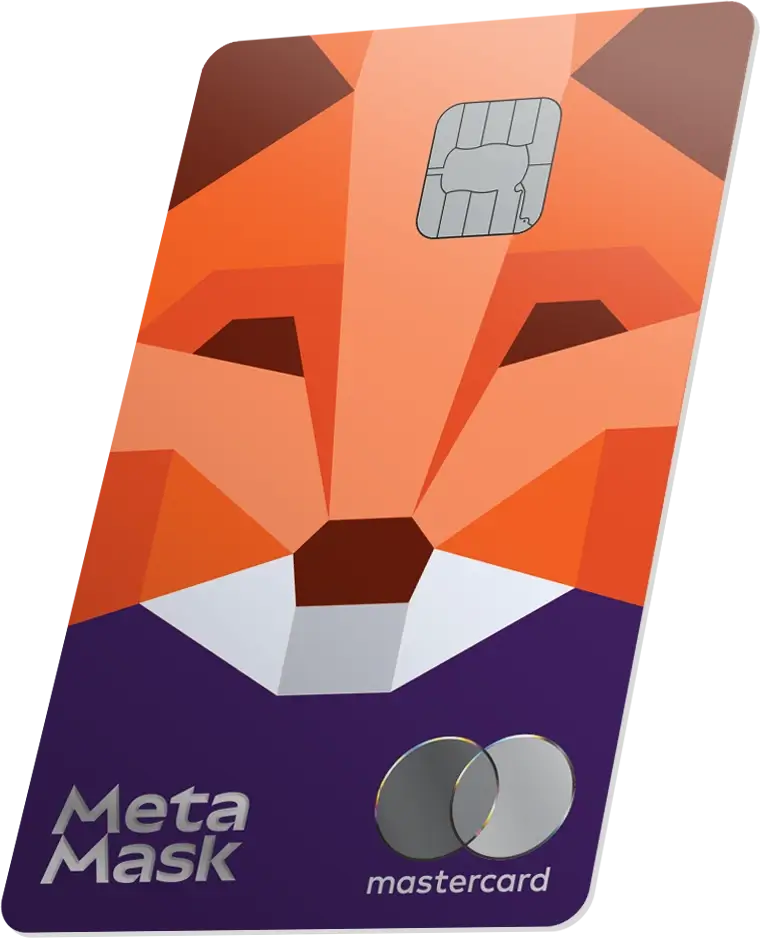
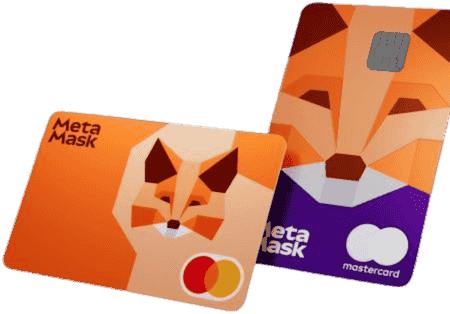
The MetaMask Virtual Card is the free Standard tier of the MetaMask Card program, offering a virtual self-custodial Mastercard with 1% cashback on all purchases, 1% cross-border fee, 2% ATM fee, spending from Linea, Base, or Solana wallets, support for USDC, USDT, wETH, and five additional stablecoin variants, Apple Pay and Google Pay, a $15,000/day spending limit ($10,000/tx), and broad supported-market coverage for a wallet-native card. For 0% FX, upgrade to Metal ($199/yr).
Free, Self-Custodial, and Multi-Chain on Every Transaction
We tested every free self-custodial card, and this review covers the Virtual tier. The MetaMask Virtual Card combines free issuance, self-custody, and multi-chain spending (Linea, Base, Solana) with broader coverage than most EEA-only wallet cards. ether.fi Core also charges 1% FX but earns 3% cashback. KAST K Card is custodial. Gnosis Pay offers 0% FX but is limited to EEA/UK on Gnosis Chain. MetaMask Virtual works across three chains with Mastercard acceptance at 150M+ merchants.
The 1% cashback is modest compared to higher-reward cards. Domestic spending nets a full 1% return. International spending incurs a 1% cross-border fee, which offsets the cashback. For 0% FX, upgrade to MetaMask Metal ($199/yr). The real differentiator at this tier is multi-chain self-custody with 9 supported assets including yield-bearing Aave tokens.
Card Specs: What You Are Actually Getting
Physical and Virtual Cards
- Virtual card: Instant issuance after KYC verification
- Physical card: Not available at this tier (virtual only)
- Wallet integration: Add to Apple Pay or Google Pay immediately
Payment Network
- Network: Mastercard (150M+ merchants worldwide)
- Contactless: Yes (NFC via Apple Pay, Google Pay)
- Card type: Debit (self-custodial, just-in-time liquidity)
- Custody: Self-custodial on Linea, Base, or Solana
- Issuer: Baanx/Monavate (via Mastercard partnership)
Security Features
- Self-custodial: Funds stay in your MetaMask wallet until the moment of purchase
- No pre-loading: No exchange deposits, no custodial balance
- Multi-chain: Spend from whichever chain holds your assets
- Mastercard zero liability: Standard fraud protection
- Biometric wallet: Transaction signing via MetaMask mobile
How Spending Works: Just-in-Time Liquidity
Unlike custodial cards where you deposit funds into an exchange, the MetaMask Virtual Card pulls funds directly from your wallet at the moment of purchase. There is no balance to manage.
Example: $45 grocery run in Amsterdam (USDC on Linea)
Step 1: Your USDC sits in your MetaMask wallet on Linea
- No pre-loading, no exchange account needed
- Balance visible in MetaMask at all times
Step 2: You tap Apple Pay at the checkout
- Mastercard network processes the EUR 41 charge
- MetaMask card protocol detects the transaction
Step 3: Conversion and settlement
- USDC on Linea converts to EUR at Mastercard mid-market rate
- 1% cross-border fee (merchant outside cardholder country): $0.45
- Sub-penny Linea gas fee
- Total deducted from wallet: approximately $45.46
Step 4: Cashback
- 1% cashback: $0.45
- 1 MetaMask Rewards point earned
- Net cost: approximately $45.01 (cross-border fee offsets cashback)
Note: If Sofia were spending in her home country (e.g., EUR in Portugal), there would be no cross-border fee, and the net cost would be $44.56 (full 1% return). For 0% FX on all international spending, upgrade to Metal.
Fee Analysis: Profitable from First Purchase
| Fee | Amount |
|---|---|
| Annual fee | $0 |
| Cross-border fee | 1% |
| ATM fee | 2% |
| Conversion markup | 0% (Mastercard mid-market) |
| Stablecoin (non-local currency) | 0.5% |
| DeFi tokens (aUSDC, amUSD) | Free up to $1,200/mo, then 0.5% |
| Other crypto (wETH) | 0.875% |
| On-chain gas | Sub-penny (Linea), low (Base/Solana) |
| Cashback | 1% |
Annual Returns at Different Spending Levels
| Monthly Spend | Annual Cashback | Domestic Net | 50% Intl Net |
|---|---|---|---|
| $500 | $60 | +$60/yr | +$30/yr |
| $1,000 | $120 | +$120/yr | +$60/yr |
| $2,000 | $240 | +$240/yr | +$120/yr |
| $5,000 | $600 | +$600/yr | +$300/yr |
Domestic spending earns a full 1% return from the first dollar. International spending incurs a 1% cross-border fee that offsets the 1% cashback, netting approximately 0% on cross-border transactions. The more you spend domestically, the higher your effective return. For 0% FX on international spending, upgrade to Metal ($199/yr).
Multi-Chain Flexibility: Three Networks, Nine Assets
| Chain | Gas Cost | Best For |
|---|---|---|
| Linea | Sub-penny | Lowest cost, ConsenSys L2 |
| Base | Low | Strong USDC liquidity, Coinbase ecosystem |
| Solana | Low | High throughput, SOL holders |
Supported Assets
USDC, USDT, wETH, EURe, GBPe, mUSD, amUSD, aUSDC, aBasUSDC
The nine-asset support is broader than most crypto cards. EURe and GBPe allow European and UK users to spend local stablecoins without conversion. Aave-wrapped tokens (amUSD, aUSDC, aBasUSDC) mean you can spend directly from yield-bearing positions without unwrapping first.
MetaMask Virtual vs Free Competitors
| Feature | MetaMask Virtual | ether.fi Core | Gnosis Pay | KAST Pengu Card |
|---|---|---|---|---|
| Annual fee | $0 | $0 | $0 | $0 |
| Cashback | 1% | 3% | Up to 4% (GNO) | 6% |
| FX fee | 1% | 1% | 0% | TBD |
| Custody | Self-custodial | Self-custodial | Self-custodial | Custodial |
| Network | Mastercard | Visa | Visa | Visa |
| Chains | Linea/Base/Solana | Ethereum | Gnosis Chain | N/A |
| Regions | US/EEA/UK/CH/Americas | EEA/UK | EEA/UK | 170+ countries |
Why choose MetaMask Virtual over higher-cashback alternatives:
- vs ether.fi Core: Both charge 1% FX. ether.fi earns 3% cashback (net +2% international), MetaMask earns 1% (net 0% international). ether.fi wins on returns but MetaMask reaches beyond the usual EEA-only wallet-card footprint, supports three chains instead of one, and 9 assets instead of 2
- vs Gnosis Pay: Gnosis has 0% FX and up to 4% cashback (with GNO staking) - better economics. But Gnosis is EEA/UK only on Gnosis Chain. MetaMask reaches well beyond that EEA-only footprint on three mainstream chains
- vs KAST Pengu: 6% headline rate is higher, but KAST is custodial. MetaMask offers self-custody and multi-chain spending, though KAST wins on raw returns and availability (170+ countries)
MetaMask Rewards Points
Both Virtual and Metal cards earn 1 MetaMask Rewards point per $1 spent. The points program is separate from the cashback. Points value and redemption mechanics have not been fully disclosed - this represents potential additional upside beyond the 1% cashback.
Virtual vs Metal Upgrade Path
| Feature | Virtual | Metal |
|---|---|---|
| Annual fee | $0 | $199 |
| Cashback | 1% | 3% (first $10K/yr, then 1%) |
| Cross-border fee | 1% | 0% |
| ATM fee | 2% | Free up to $1,200/mo, then 2% |
| Daily limit | $15,000 ($10K/tx) | $30,000 ($20K/tx) |
| Card format | Digital only | Physical metal ($99 replacement) |
| Availability | Same supported markets as Metal | Same supported markets as Virtual |
The Metal card offers 3% on the first $10K/yr (then 1%), doubles the daily limit ($30K vs $15K), and eliminates the cross-border fee (0% vs 1%). The Virtual card wins on cost ($0 vs $199/yr) and uncapped 1% rate. Metal's break-even is approximately $830/month.
Limits and Restrictions
| Limit | Amount |
|---|---|
| Annual fee | $0 |
| Daily spending | $15,000 ($10,000/tx) |
| Cross-border fee | 1% |
| ATM fee | 2% ($1,000/day) |
| Cashback | 1% |
| Supported chains | Linea, Base, Solana |
| Supported assets | 9 (USDC, USDT, wETH, EURe, GBPe, mUSD, amUSD, aUSDC, aBasUSDC) |
| Card type | Virtual only |
| Regions | US/EEA/UK/CH/Americas |
Network restrictions: Solana is not currently supported in the US. Base is not supported in NY and Texas.
What Happens If MetaMask Goes Down?
MetaMask is developed by ConsenSys, one of the largest Ethereum infrastructure companies. The card program is a partnership with Mastercard via Baanx.
Your wallet funds: Completely safe. Self-custodial means your assets remain on Linea, Base, or Solana regardless of MetaMask or Baanx status. You can access your funds through any compatible wallet.
Your card access: Lost if Baanx (the card issuer) fails. You would need a new spending card, but your crypto is unaffected.
Your earned cashback: At risk if not yet distributed. Withdraw or spend cashback promptly.
Your MetaMask Rewards points: At risk. Points are stored in MetaMask's system, not on-chain.
ConsenSys risk profile: After reviewing the platform's stability, ConsenSys has raised over $700M in funding, employs 600+ people, and maintains critical Ethereum infrastructure (Infura, Linea, MetaMask). While no company is risk-free, ConsenSys is among the most established entities in crypto. The self-custodial model means even a worst-case scenario only affects card access, not your assets.
Real User Scenarios
Scenario 1: Sofia (Lisbon Digital Nomad, $2,500/month spending)
Setup:
- MetaMask Virtual Card (EEA, free)
- Spends in EUR, GBP, and THB across 5 countries
- Holds USDC on Linea (sub-penny gas)
- Apple Pay for all transactions
Results after 12 months:
- Total spending: $30,000
- Domestic (EUR in Portugal, 60%): $18,000
- International (GBP/THB, 40%): $12,000
- Cashback (1%): $300
- Cross-border fees (1% on $12,000): -$120
- Annual fee: $0
- Net annual return: +$180
Her verdict: "The self-custody and multi-chain support are the headline features. The 1% cross-border fee means my international spending nets approximately 0%, but my domestic EUR spending earns the full 1%. I compared this to ether.fi Core which also charges 1% FX but earns 3% cashback - netting 2% on international. ether.fi wins on returns but is EEA/UK only, and I spend time in Thailand where MetaMask is not available either. For my EUR spending at home, MetaMask is simple and self-custodial. For travel, I am considering upgrading to Metal ($199/yr) for the 0% FX."
Scenario 2: James (Austin DeFi Developer, $1,500/month spending)
Setup:
- MetaMask Virtual Card (US, free)
- Holds various tokens across Linea, Base, and Solana
- Spends from aUSDC on Base (earning Aave yield while waiting to spend)
- Google Pay primary
Results after 12 months:
- Total spending: $18,000
- Cashback (1%): $180
- FX fees: $0
- Aave yield on aUSDC (approx. 4% on avg $3K balance): $120
- Net annual return: +$300 (cashback + yield)
His verdict: "The killer feature is spending directly from Aave-wrapped tokens. My USDC earns approximately 4% yield on Base as aUSDC, and I can spend it without unwrapping. No other card does this. The 1% cashback is modest, but combined with the yield I am earning on my balance, the total return is meaningful. I am considering upgrading to Metal ($199/yr, 3% on first $10K) which would boost my return on the first $10K spent."
Scenario 3: Aisha (London Freelancer, GBP 1,800/month spending)
Setup:
- MetaMask Virtual Card (UK, free)
- Holds GBPe on Linea for GBP spending (no FX conversion needed)
- 80% GBP domestic, 20% EUR when visiting EU clients
- Uses Apple Pay for contactless
Results after 12 months:
- Total spending: approximately $27,000
- Domestic (GBP in UK, 80%): $21,600
- International (EUR, 20%): $5,400
- Cashback (1%): $270
- Cross-border fees (1% on $5,400): -$54
- Net annual return: +$216
Her verdict: "I hold GBPe specifically so my GBP transactions do not incur any currency conversion or cross-border fee at all. For EUR spending with EU clients, the 1% cross-border fee offsets the cashback, but it is still better than my bank's 2.5% FX markup. The 1% cashback is lower than Plutus (3% at GBP 6.99/mo, no free tier) but Plutus is custodial, charges 2.5% FX non-domestic, and has eligible spend caps. MetaMask on Linea costs almost nothing in gas and my funds never leave my wallet. For a UK freelancer who values self-custody, this is the most practical free option."
Is the MetaMask Virtual Card Worth It?
Use the MetaMask Virtual Card if:
- You want a free self-custodial card with multi-chain spending (Linea, Base, Solana)
- You hold assets on Linea, Base, or Solana and want to spend without depositing to an exchange
- You primarily spend domestically where the full 1% cashback applies
- You use Aave-wrapped tokens and want to spend directly from yield-bearing positions
Skip the MetaMask Virtual Card if:
- You want higher cashback - ether.fi Core (3%, free), KAST Pengu Card (6%, free) offer more
- You need a physical card - Virtual is digital only. Upgrade to Metal ($199/yr)
- You spend heavily internationally - the 1% cross-border fee offsets the 1% cashback. Upgrade to Metal for 0% FX
- You want Visa acceptance - MetaMask is Mastercard only
Final verdict: We track every free self-custodial option, and the MetaMask Virtual Card is the strongest free entry point for self-custodial spending. The combination of $0 annual fee, 1% cashback, three-chain support (Linea, Base, Solana), and 9 assets including yield-bearing Aave tokens is unmatched at this price point. The 1% cross-border fee means international spending nets approximately 0% (cashback offsets by fee), so the card is most rewarding for domestic spending. For international use, upgrade to Metal ($199/yr, 3% on first $10K then 1%, 0% FX) if you spend over $830/month.
Sources and Verification
All card specs, fees, and limits verified from:
FAQ
How do you choose MetaMask Virtual Card crypto cards?
We compare verified issuer sources, fees, and eligibility. Availability can change, so confirm with the issuer before applying.
Do all cards in this list offer the same benefits?
No. Each issuer defines its own program terms. Review the sources on each card profile.
Are these rankings or recommendations?
No. Lists are filtered views of cards in our database and do not imply rankings.
This is a debit card. Some merchants with pre-authorization holds (hotels, car rentals) may temporarily hold funds beyond the transaction amount.
You retain custody of your funds until the moment of spending. Your balance is not exposed to provider insolvency risk.
Fees shown above are the card's disclosed fees. Additional costs may apply: Visa/Mastercard network spread (typically 0.5-0.9%), crypto-to-fiat conversion spread at point of sale, and blockchain gas fees for on-chain top-ups.
Found any issues?