
SpendNode Rating for KuCard
KuCard is a practical exchange-linked card with broad asset support, mobile wallets, and regional Visa or Mastercard issuance. Its weaker point is that reward qualification and fees are not uniform across markets.
KuCoin runs regional programs in Europe, Australia, New Zealand, and Brazil, with more than 50 spendable assets and rewards advertised up to 8%. The score stays restrained because funds remain custodial, non-EUR EEA spending costs 2%, and KuCoin has not published one complete reward table that applies across every regional program.
How It Competes
Cost Efficiency
3.4
Product Utility
4.2
Custody & Trust
3.2
Reliability & UX
4.1
Transparency
3.6

CASHBACK
Verified

POINTS
Verified

APPLE PAY
Verified
KuCard Overview
One KuCard, Regional Visa and Mastercard Programs
A practical exchange-linked debit card for existing KuCoin users. It has no annual fee, supports Visa and Mastercard by region, and advertises rewards up to 8%, but the qualification bands are not yet consistently published across regional programs.
Fees & Charges
Annual Fee
FreeFirst virtual card free; EEA physical card EUR 9.90
FX Fee
0% EUR / 2% non-EUR (EEA)
ATM Fee
EUR 2 EU / 2% + EUR 2 intl.
Requirements
Supported Regions
EEA, OCEANIA, LATAM
Spendable Assets
KCS, USDT, USDC, BTC, ETH, SOL, XRP, DOGE, LTC, TON
On This Page
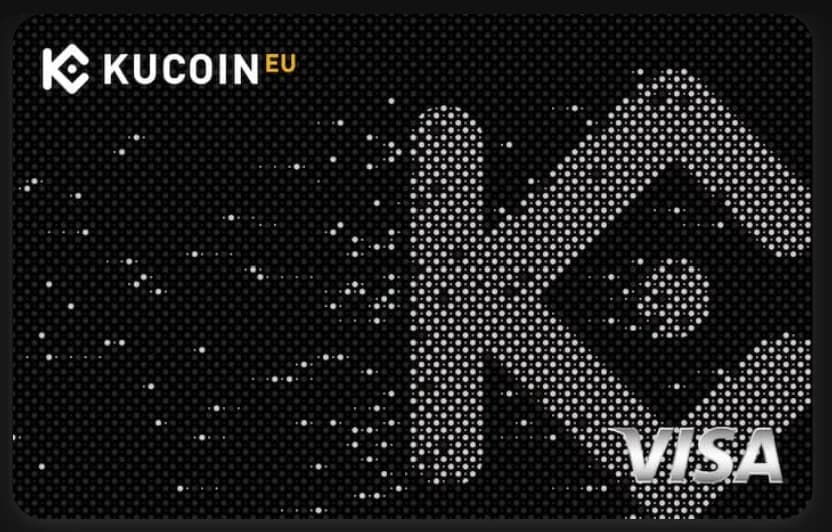
KuCard is KuCoin's custodial crypto debit card family. The card uses Visa in the European Economic Area and Brazil, while the Australian and New Zealand programs use Mastercard. Eligible users can spend supported KuCoin balances through virtual or physical cards, with fees, settlement currency, and rewards rules determined by the regional program.
What Is KuCard?
KuCard connects an eligible KuCoin account to a debit card. When you pay, KuCoin uses the selected account balance or converts a supported crypto asset before the card transaction settles. The merchant receives value through the ordinary Visa or Mastercard network rather than receiving crypto.
KuCard is a regional product family. KuCoin operates separate regulated platforms and card programs, so the network, funding account, fees, limits, and rewards rules are not identical everywhere.
The broad appeal is asset coverage. KuCoin's current partner material says KuCard supports more than 50 cryptocurrencies. The public regional guides name assets such as USDC, USDT, BTC, ETH, KCS, and XRP, while the exact list visible in the account can vary by jurisdiction.
Countries and Availability
| Market | Network | Account and settlement | Confirmed public position |
|---|---|---|---|
| EEA, excluding Malta | Visa | KuCoin EU account; transactions settle in EUR | Public applications require full KuCoin EU KYC and an EEA-issued identity document or passport |
| Australia | Mastercard | KuCoin AU account; program uses USDC as its standard settlement currency | Virtual card is documented; Apple Pay and Google Pay are supported |
| New Zealand | Mastercard | Regional KuCoin program | Product availability is shown by KuCoin; final fees and eligibility should be checked in the local account |
| Brazil | Visa | Regional KuCoin program | Product availability is shown by KuCoin; final fees and eligibility should be checked in the local account |
The card network affects acceptance and wallet provisioning, but it does not create four different products for comparison purposes. SpendNode treats KuCard as one card family and shows both Visa and Mastercard support. Your country determines which version you can receive.
Fees and Rates
KuCoin EU publishes the clearest current fee schedule. The first virtual card is free, while the first physical card costs EUR 9.90. Standard delivery is free and express delivery costs EUR 30.
| EEA fee | Current amount |
|---|---|
| First virtual card | Free |
| Additional virtual card | EUR 9.90 |
| First physical card | EUR 9.90 |
| Additional physical card | EUR 19.90 |
| Replacement card | EUR 9.90 |
| EUR card purchase | Free |
| Non-EUR card purchase | 2% |
| ATM withdrawal within Europe | EUR 2 |
| ATM withdrawal outside Europe | 2% + EUR 2 |
| Standard delivery | Free |
| Express delivery | EUR 30 |
Crypto conversion is a separate cost layer. KuCoin EU applies its sell rate when a supported crypto asset must be converted into EUR. The final cost can therefore include both the crypto conversion and, for a non-EUR purchase, the 2% card FX fee. Local ATM operators can add their own surcharge.
A virtual KuCard can also incur a EUR 2 monthly inactivity fee after 90 consecutive calendar days without a completed card transaction. KuCoin assesses inactivity per virtual card, which matters if you create more than one.
Other regional programs use their own fee schedules and settlement currencies. Do not apply the EEA's EUR figures to an Australian, New Zealand, or Brazilian card without checking the local terms shown during application.
Rewards and Cashback
KuCoin markets rewards of up to 8% on eligible KuCard purchases. The current points framework uses VIP status and monthly card spending to determine a rate, then applies the better qualifying tier. Points can be redeemed for supported rewards, and the published framework references a monthly reward cap of up to 200 USDC.
The important limitation is disclosure. KuCoin has published a complete L0-L6 table for Australia, but an equivalent EEA table was not publicly available during this review. KuCoin's EU partner material confirms the 8% maximum, a 15-day verification period, 90-day point validity, and tier-dependent caps, but does not provide every threshold.
We therefore do not use the 8% maximum as an ordinary-user return or calculate an EEA break-even point from it. Treat it as a highest-tier headline until the relevant regional account shows the qualifying VIP level, monthly spending band, cap, and excluded merchant categories.
Australia's published model starts at 1% for VIP 0 or up to USD 500 of monthly eligible spend and reaches 8% above USD 30,000 or at VIP 11-12. That table is useful context, but it should not be assumed to govern KuCoin EU.
Rewards do not apply to every transaction. Public rules exclude refunds, reversals, ATMs, financial and cash-equivalent transactions, crypto purchases, remittances, gambling, and other listed high-risk merchant categories. Available points can expire 90 days after they clear.
Limits and Restrictions
KuCoin does not publish one universal KuCard spending and ATM limit table. Limits depend on the regional platform, account status, card type, and compliance controls. Check the card controls and application terms in the account that will issue your card before planning a large purchase or cash withdrawal.
The rewards program has separate restrictions. The current framework references a monthly cap of up to 200 USDC, while refunds, reversals, ATM withdrawals, financial transactions, remittances, gambling, crypto purchases, and other excluded merchant categories do not earn points. Transaction approval and reward eligibility are separate decisions, so a purchase can settle without earning a reward.
How Spending and Funding Work
KuCard is not a self-custodial wallet card. Funds remain inside the relevant KuCoin platform and are deducted from eligible internal accounts. The available account types differ by program.
KuCoin EU documentation describes EUR and supported crypto assets as funding sources. KuCoin Australia allows eligible balances across Funding, Trading, and Financial accounts, with USDC deductions coming from the Funding Account. Users can set a payment priority so the system knows which asset to use first.
The 50+ asset range is useful for an existing KuCoin user with a mixed portfolio, but it does not make conversion free. Spending an asset that must be sold introduces KuCoin's conversion rate at the time of payment. Stablecoin settlement can be simpler, while volatile or less-liquid assets add execution and tax-record complexity.
Apple Pay, Google Pay, and Physical Cards
KuCard supports Apple Pay and Google Pay in the current EEA and Australian material. Wallet eligibility can still depend on the card's country, device region, and the wallet provider's own rules.
The free first virtual card is the low-friction way to test the service. In the EEA, a physical card costs EUR 9.90 and standard delivery is free. KuCoin has also promoted Europe-only card designs, including Starry Night as a limited launch design and Sunflower as another European design.
How to Apply for KuCard
- Open KuCoin through SpendNode.
- Use the KuCoin platform for your country. EEA residents need a KuCoin EU account rather than a legacy global account.
- Complete the regional identity-verification process.
- Open KuCard, review the local fees and terms, and choose a virtual or physical card.
- Set the funding account and payment-priority order.
- Create the virtual card, then add it to Apple Pay or Google Pay where supported.
For KuCoin EU, applicants must be eligible EEA residents outside Malta and complete full KYC. The public guide also requires a valid EEA-issued identity document or passport. Approval remains subject to compliance and risk checks.
SpendNode currently uses a tracked KuCoin signup link. KuCoin has not yet supplied us with a dedicated KuCard partner link, so card-level attribution is not guaranteed.
Is KuCard Safe?
KuCard is custodial. The balance used for spending sits within a KuCoin account, and card use depends on KuCoin, the regional operating entity, the issuer, and the payment network continuing to provide access.
In the EEA, Wallester issues the Visa card under the KuCoin EU program. Card issuance through a regulated partner does not turn a KuCoin crypto balance into an insured bank deposit. Keep only the amount needed for near-term spending rather than treating the Funding Account as long-term cold storage.
The operational controls are useful: transaction notifications, card freezing, payment priority, PIN and 3-D Secure authentication. They reduce card-fraud risk but do not remove exchange custody or crypto-conversion risk.
Is KuCard a Scam?
KuCard is an official KuCoin product issued through regional card programs. The EEA Visa is issued through Wallester, while Australia and New Zealand use Mastercard programs presented through their regional KuCoin platforms.
The practical scam risk is impersonation. Apply only through the official KuCoin platform serving your residence, never send crypto to a person claiming to activate the card, and verify the regional entity before completing KYC. A genuine card program can still carry custody, regulatory, conversion, and service-continuity risk.
Real User Scenarios
EEA User Spending in EUR
An EEA cardholder funding the account with EUR or converting into EUR before purchase avoids KuCard's card-level FX charge on a EUR transaction. Crypto conversion can still add cost if the selected spending asset must be sold at checkout.
EEA User Spending Outside the Eurozone
A non-EUR purchase carries the published 2% EEA card fee. If KuCoin also has to convert crypto into EUR first, the cardholder faces two cost layers: the crypto sell rate and the non-EUR card charge. This is the weakest everyday use case for the EEA program.
Existing KuCoin User in Australia
An Australian user receives the Mastercard version and can use USDC as the standard settlement asset. The published rewards ladder starts at 1% for the entry level and reaches 8% only at high monthly spending or VIP levels, so the account's displayed tier matters more than the headline maximum.
How KuCard Compares
- Bitget Card also advertises a high maximum reward. Its economics depend on BGB and program terms, while KuCard's advantage is broader direct access to KuCoin-held assets.
- Krak Card has a clearer fee proposition and a stronger trust profile, but its reward ceiling is lower and depends on account balance.
- Crypto.com has a longer card operating history and a mature tier system. KuCard is a better fit when the assets and trading activity already sit on KuCoin.
- Bleap is self-custodial and simpler for stablecoin spending, but it does not offer KuCoin's exchange balance or asset breadth.
Who Should Use KuCard?
KuCard makes the most sense for an existing KuCoin user in a supported market who wants to spend from the same account used for trading. The first virtual card is free in the best-documented regional programs, both major card networks are represented, and Apple Pay and Google Pay cover ordinary contactless use.
It is less attractive for users who want one globally consistent fee schedule, transparent reward thresholds before signup, or self-custody. EEA travelers should pay particular attention to the 2% non-EUR fee, and occasional users should remember the virtual-card inactivity fee.
KuCard Verdict
KuCard supports Visa and Mastercard by region, more than 50 spending assets, mobile wallets, and a free first virtual card in its best-documented programs. That gives existing KuCoin customers a credible everyday spending route.
The weaknesses are regional fragmentation and incomplete reward disclosure. The advertised 8% maximum is not a sensible baseline for comparison until KuCoin publishes the applicable tier table for each market. Judge the card on the local fee schedule and the rate displayed in your account, not on the maximum alone.
Sources and Verification
Written by Aleksandar Dukic
FAQ
Is KuCard Visa or Mastercard?
Both, depending on the market. The EEA and Brazil programs use Visa, while Australia and New Zealand use Mastercard. SpendNode lists KuCard under both network filters.
What are the KuCard fees in the EEA?
The first virtual card is free and the first physical card costs EUR 9.90. EUR purchases have no card FX fee; non-EUR purchases cost 2%. European ATM withdrawals cost EUR 2 and international ATM withdrawals cost 2% plus EUR 2. Crypto conversion and third-party fees can still apply.
How do KuCard rewards work?
KuCoin advertises up to 8% on eligible purchases through regional VIP or monthly-spending tiers. The current points framework can cap rewards at up to 200 USDC per month, applies a verification period, and gives available points a 90-day validity period. KuCoin EU has not published the complete tier table, so 8% should be treated as a maximum rather than a base rate.
Which assets can I spend with KuCard?
KuCoin partner material says KuCard supports more than 50 crypto assets. Public regional guides name USDC, USDT, BTC, ETH, KCS, XRP, SOL, DOGE, LTC, and TON among the supported assets, but the exact list can vary by regional program and account.
This is a debit card. Some merchants with pre-authorization holds (hotels, car rentals) may temporarily hold funds beyond the transaction amount.
Your funds are held by KuCoin. If the provider faces insolvency, your balance may be at risk. This card does not offer self-custody protection.
Fees shown above are the card's disclosed fees. Additional costs may apply: Visa/Mastercard network spread (typically 0.5-0.9%), crypto-to-fiat conversion spread at point of sale, and blockchain gas fees for on-chain top-ups.
Found any issues?
User Reviews
Reviews are moderated and may take a moment to appear.