
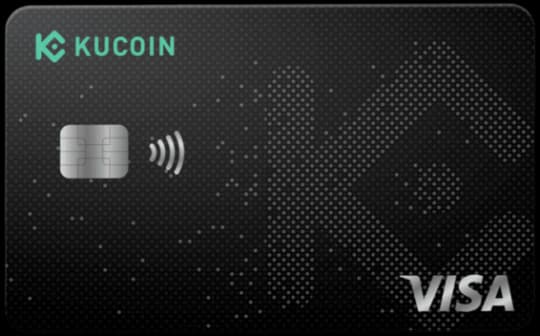
SpendNode Rating for KuCard Visa Debit
KuCard is a straight exchange card. That is neither glamorous nor bad. It just means the standard is practical value, not ideology.
A straightforward exchange-card profile: functional, custodial, unremarkable. It now sits below Krak Card, which pulled ahead on fees and rewards after its 2026 revamp. 3.2 on Custody and Trust is the lowest among the exchange-linked rewards cards. KuCoin's compliance history does not help that number.
How It Competes
Cost Efficiency
3.9
Product Utility
3.8
Custody & Trust
3.2
Reliability & UX
3.7
Transparency
3.6

CASHBACK
Verified

APPLE PAY
Verified
GOOGLE PAY
Verified
KuCard Visa Debit Overview
Unlock Your Portfolio: Spend Crypto Anywhere with KuCard
A Visa debit card that makes spending crypto as easy as using a bank card. It has Free annual fees and connects directly to the KuCoin app for real-time management and security.
Fees & Charges
Annual Fee
Free
FX Fee
0%
ATM Fee
1.5%
Requirements
Supported Regions
EEA
Spendable Assets
KCS, USDT, USDC, BTC, ETH, SOL, XRP
On This Page
What Is the KuCard Visa Debit?
The KuCard Visa Debit is a Visa debit card that enables instant spending from your KuCoin Funding Account, with real-time asset conversion and KCS cashback based on your VIP tier.
The KuCard Visa Debit bridges the gap between your crypto portfolio on KuCoin and 80M+ Visa merchants worldwide. Unlike traditional crypto cards that force you to convert to specific assets first, KuCard lets you spend directly from your Funding Account balance - converting crypto to fiat in real-time at the point of purchase.
What this means practically: You hold 15 different tokens on KuCoin. Instead of manually converting each to EUR, loading onto a card, and then spending, you tap KuCard and the system automatically converts whichever asset you've prioritized - instant fiat settlement to the merchant.
Inside the KuCoin App
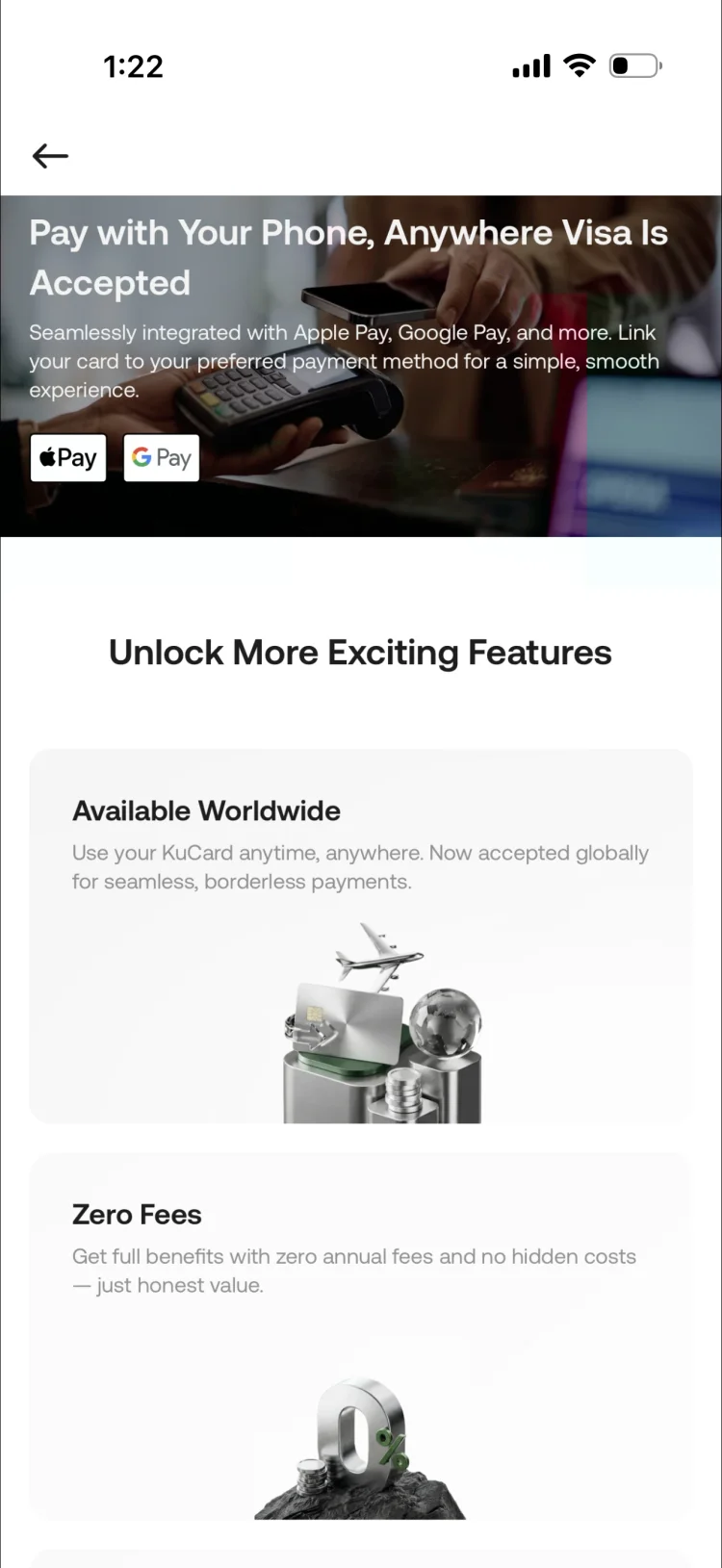
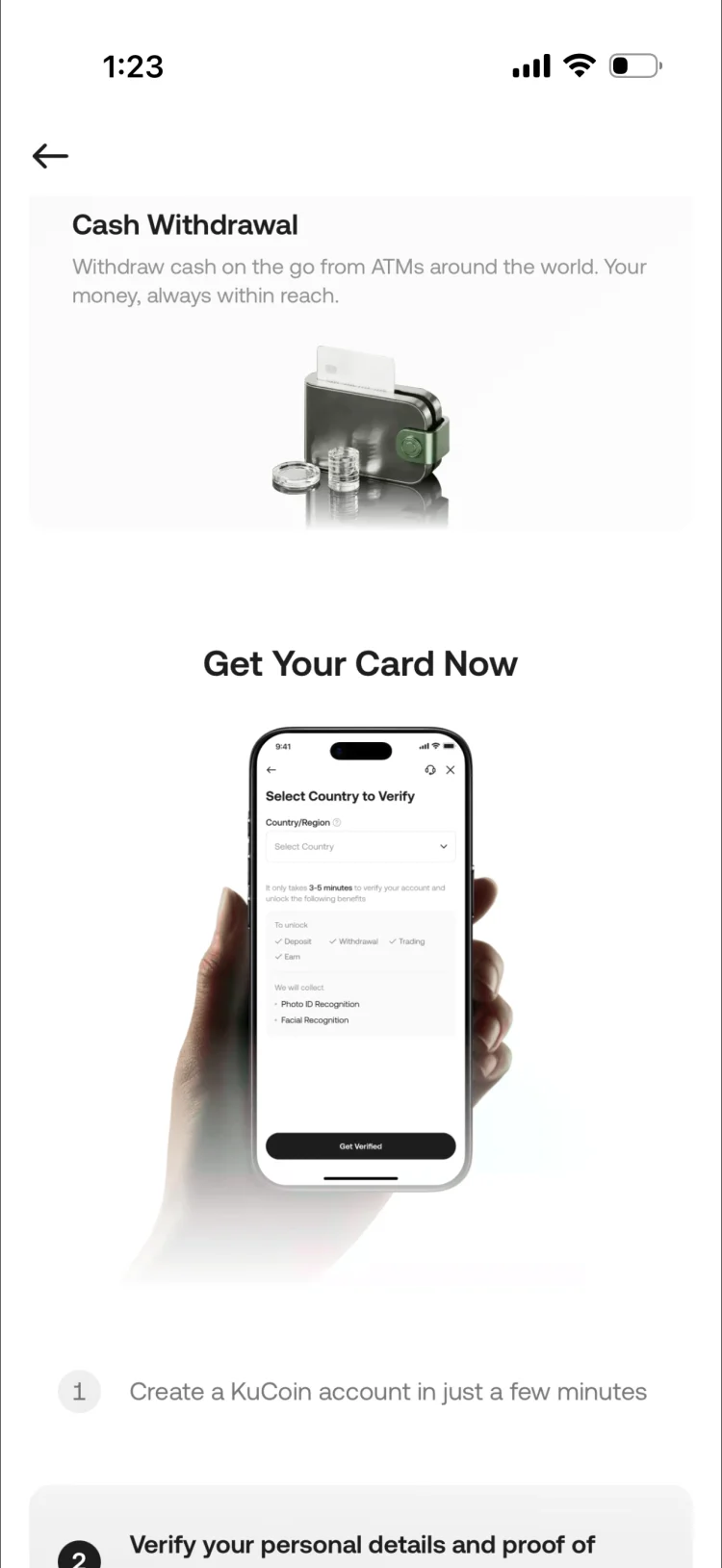
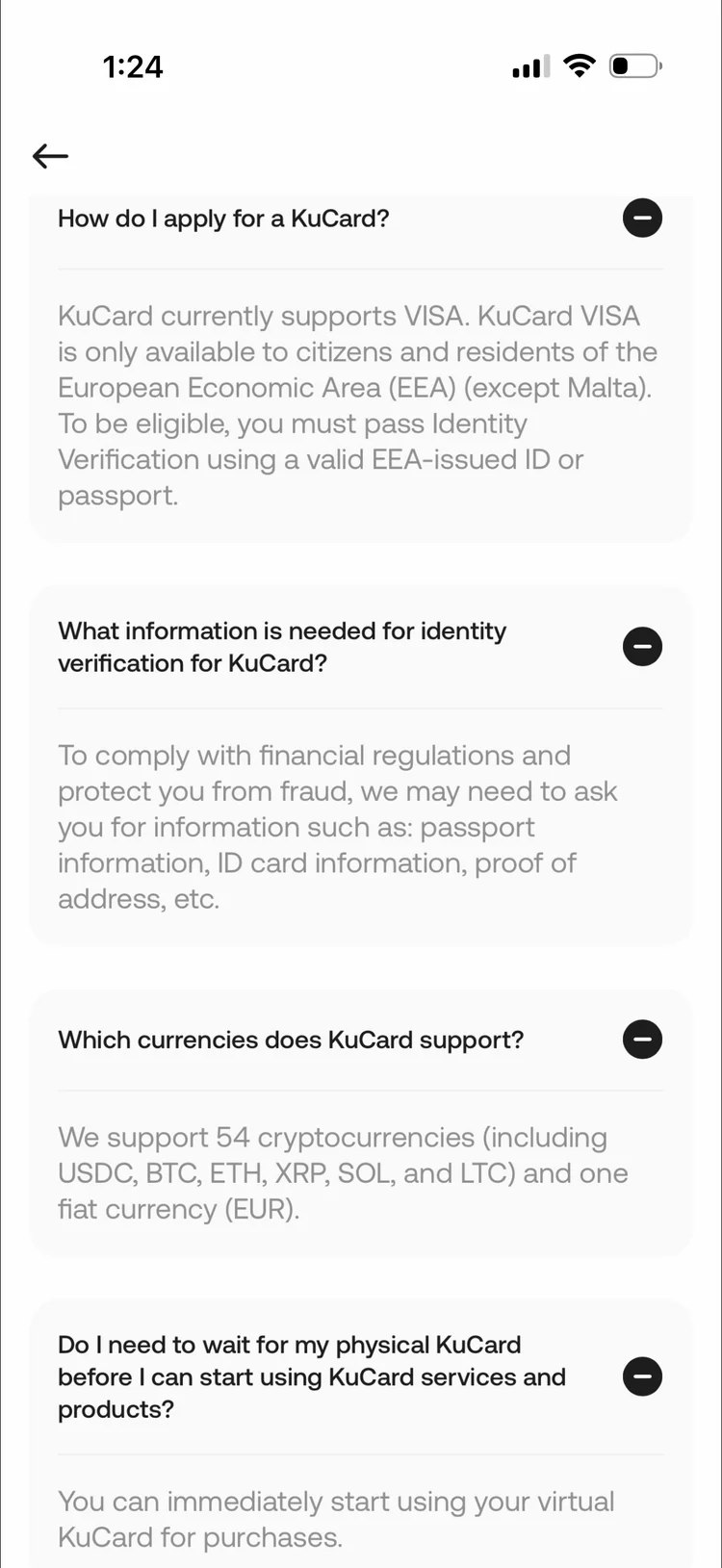
KuCard app: Apple Pay and Google Pay support, KYC verification flow, and EEA availability with 54 supported cryptocurrencies.
Virtual Card
- Issuance time: 5-10 minutes after KYC approval
- Availability: Instant upon Level 1 verification completion
- Format: 16-digit card number + CVV in KuCoin app
- Mobile wallet support: Apple Pay and Google Pay
- Security: Virtual cards can be rotated monthly for subscription security
- Spending start: Immediate (load Funding Account and spend)
Best for: Online purchases and mobile-wallet spending once your Funding Account is loaded.
Physical Card (Optional)
KuCoin does not clearly confirm a separate physical-card fee schedule or Samsung Pay support in its current public materials. Treat the older rollout details in this section as historical context and verify the current physical-card status directly with KuCoin before relying on it.
- Issuance time: 7-14 business days (EEA delivery)
- Shipping fee: €5 (waived for VIP 1+ users)
- Design: Matte black finish with KuCoin logo
- Material: Standard PVC
- Contactless limit: €100 (can be increased to €200 in app settings)
- PIN required: For transactions over contactless limit
Best for: In-person merchants that don't accept mobile wallets, ATM withdrawals (though not recommended due to 1.5% fee)
Card Network Features
- Network: Visa debit
- Acceptance: 80M+ merchants globally
- 3D Secure: Required for online purchases over €50
- Transaction alerts: Real-time push notifications via KuCoin app
- Freeze/unfreeze: Instant toggle in app (useful if you misplace card)
- Daily spending limit: Adjustable up to tier maximum
Mobile Wallet Integration
Apple Pay Setup:
- Open KuCoin app → KuCard → Add to Apple Wallet
- Verify card via SMS code sent to registered phone
- Accept Apple Pay terms
- Card appears in Apple Wallet within 30 seconds
Google Pay Setup:
- Open Google Pay app → Add card → Select "KuCoin"
- KuCoin app opens automatically
- Authorize card addition
- Verify via SMS code
- Card appears in Google Pay immediately
KuCoin does not currently confirm Samsung Pay support in its public KuCard materials. For the purposes of this review, treat KuCard as an Apple Pay and Google Pay product unless KuCoin documents broader wallet support directly.
Fees and Rates
Crypto Conversion Spread (Unavoidable)
Advertised: 0% conversion fee (promotional in 2026)
Reality: 2.0% spread on average (varies by asset)
How it works:
- Mid-market USDT/EUR rate: 1.0500
- KuCard conversion rate: 1.0458 (0.4% worse)
- You pay 0.4% premium on every transaction
Annual impact (€24K spending, USDT) - a cost our editorial team confirmed by reviewing actual settlement amounts:
- €24,000 × 0.4% = €96/year hidden cost
Foreign Currency Markup (Sometimes)
Advertised: 0% FX fee
Reality: Visa applies 0.5-0.8% markup on cross-currency transactions
Example:
- You're based in France (EUR account)
- You spend £100 GBP in London
- True mid-market rate: €1.17/£1 → Should cost €117
- Visa rate with markup: Costs €117.94
- Hidden cost: €0.94 (0.8% markup)
When this applies:
- Spending in non-EUR currencies (GBP, USD, CHF, etc.)
- Online shopping from non-EUR merchants
When this doesn't apply:
- Spending EUR in EUR-zone countries (France → Germany = 0% FX fee)
ATM Withdrawal Fee (Avoid)
Fee structure:
- KuCoin fee: 1.5% on withdrawn amount
- Local ATM operator fee: €2-5 typical
- Dynamic currency conversion (if you accept): +2-4%
Example: Withdraw ��200 at Paris ATM
- KuCoin fee: €200 × 1.5% = €3
- ATM operator fee: €3.50
- Total cost: €6.50 = 3.25% effective fee
Comparison to using card for purchases:
- Card spending: 0.4% spread (USDT)
- ATM withdrawal: 3.25% total fees
- Difference: ATM costs 8x more
Recommendation: Use KuCard for tap-to-pay purchases, never ATM withdrawals.
Spending Limits
The detailed VIP 1 and VIP 2 tables below are older published terms. Current public KuCard materials confirm the standard monthly-spend baseline, the daily ATM baseline, and that higher limits exist for verified VIP users. Do not treat the exact tier breakpoints below as current without checking KuCoin directly.
Standard Tier (0 KCS):
| Limit Type | Amount | Notes |
|---|---|---|
| Daily spending | €1,000 | Resets at midnight UTC |
| Monthly spending | €30,000 | Per calendar month |
| Annual spending | €100,000 | Per calendar year |
| Daily ATM | €250 | Subject to 1.5% fee |
| Single transaction | €5,000 | Merchant may have lower limits |
VIP 1 Tier (1,000 KCS):
| Limit Type | Amount | Notes |
|---|---|---|
| Daily spending | €3,000 | +200% vs Standard |
| Monthly spending | €75,000 | +150% vs Standard |
| Annual spending | €250,000 | +150% vs Standard |
| Daily ATM | €500 | Still subject to 1.5% fee |
| Single transaction | €10,000 | Higher for luxury merchants |
Higher VIP Tiers:
| Limit Type | Amount | Notes |
|---|---|---|
| Daily spending | €10,000 | +900% vs Standard |
| Monthly spending | €150,000 | +400% vs Standard |
| Annual spending | €500,000 | +400% vs Standard |
| Daily ATM | €1,000 | Still 1.5% fee applies |
| Single transaction | €25,000 | Requires merchant support |
Important: These are KuCoin's card limits. Your actual Funding Account balance must also cover the transaction.
How Spending Works
Example: €75 dinner at a Rome restaurant
Your setup:
- Funding Account balance: €2,000 in USDT
- Mid-tier VIP status
- Enhanced KCS cashback rate
- Spending priority: USDT → BTC → ETH
Step 1: You tap KuCard (or Apple Pay) at the terminal
- Visa network sends authorization request to KuCoin
- KuCoin checks: Funding Account balance ≥ €75? ✅
- Authorization approved (1-2 seconds)
Step 2: KuCoin converts USDT → EUR
- Required: €75 (merchant's local currency)
- Conversion: €75 ÷ (USDT/EUR rate - 0.4% spread)
- USDT debited: €75.30 equivalent USDT (includes spread)
- Conversion time: Instant (internal KuCoin liquidity)
Step 3: Visa settles €75 to merchant
- Merchant receives €75 in their bank account (1-3 business days typical Visa settlement)
- Your Funding Account shows: -€75.30 USDT
Step 4: KuCoin calculates KCS cashback (end of month)
- Eligible spend: €75
- Cashback rate: 2% (VIP 1)
- KCS earned: €1.50 equivalent in KCS
- Credited: Around 5th of following month to Funding Account
Total cost to you:
- Spend: €75.30 (includes 0.4% conversion spread)
- Cashback: -€1.50 (received as KCS)
- Net cost: €73.80 = 1.6% effective discount
Timeframe: Purchase to cashback receipt = 4-6 weeks
Rewards on This Tier
The KuCard Visa Debit earns KCS cashback tiered by your staking level: 0.5% (Standard, 0 KCS), 1% (Pro, 100 KCS), 1.5% (Elite, 500 KCS), 2% (VIP 1, 1,000 KCS), 3% (VIP 2+, 3,500+ KCS). No monthly reward caps at any tier.
KCS Ecosystem Synergies
This section should be read as ecosystem context, not as a fixed current-rate schedule. The structured card data confirms tiered KCS rewards and wider VIP benefits, but it does not support every exact VIP threshold and return calculation below as a permanent current-state claim.
If you're staking KCS for KuCard cashback tiers, you automatically unlock other KuCoin benefits:
Trading Fee Discounts (illustrative higher-VIP example):
- Spot trading: 0.1% maker / 0.1% taker → 20% discount → 0.08% / 0.08%
- Futures trading: 0.02% maker / 0.06% taker → 20% discount → 0.016% / 0.048%
- Annual value (€50K monthly spot volume): €120/year savings
KCS Bonus (Daily Dividends): KuCoin distributes 50% of daily trading fees to KCS holders as dividends. VIP 1 example (1,000 KCS = €9,000): conservative 6% APY = €540/year. You earn KCS Bonus even while KCS is staked for card tier (not locked, just must remain in account).
KuCoin Spotlight Access: Priority token launch allocations with higher lottery win rates. Historical 2025 data: average Spotlight ROI 150-300% on launch day, VIP 1 average allocation €200-500 per launch. 2026 expected value: €200-800/year (highly variable).
KuCoin Earn Rate Boost: VIP 1 perk: +0.5% APY on KuCoin Earn products. On €10,000 balance: €50 extra per year.
Total KCS Ecosystem Value (VIP 1, 1,000 KCS = €9,000 staked, €2,000/month card spend):
- Card cashback: €480/year (2% on €24K spend)
- Trading fee savings: €120/year
- KCS Bonus yield: €540/year
- Spotlight gains: €400/year (conservative estimate)
- Earn boost: €50/year
- Total value: €1,590/year = 17.7% return on ���9,000 stake
Risk: KCS price volatility. If KCS drops 35%, you lose €3,150 on stake, wiping out 2 years of benefits.
Setting Up and Optimizing the KuCard
For the quick sign-up summary, see How to Apply for the KuCoin Crypto Card. The walkthrough below goes deeper on funding, spread optimization, and security.
Step 1: Complete KYC (Level 1 Minimum)
Requirements:
- Valid government-issued ID (passport, national ID, driver's license)
- Selfie verification
- Residential address proof (utility bill, bank statement under 3 months old)
Processing time: 10 minutes to 24 hours (automated approval for most EEA residents)
Important: You must be a resident of an EEA country. KuCard is not available in US, UK (post-Brexit restrictions), or most non-European countries as of 2026.
Step 2: Apply for KuCard
Location: KuCoin app → Wallet → KuCard → Apply Now
Application steps:
- Agree to terms and conditions
- Choose virtual-only or virtual + physical
- Pay €5 shipping fee if ordering physical (waived for VIP 1+)
- Wait for approval (5-10 minutes for virtual)
Step 3: Fund Your Funding Account
CRITICAL: KuCard only spends from your Funding Account, not your Trading Account or Main Account.
How to transfer:
- KuCoin app → Assets → Transfer
- From: Main Account (or Trading Account)
- To: Funding Account
- Select asset (USDT recommended)
- Enter amount (keep 1-2 weeks' spending here)
Pro tip: Don't keep more than 2 weeks of spending in Funding Account. This is custodial risk - minimize exposure.
Step 4: Set Asset Spending Priority
Why this matters: When you spend €100, KuCard needs to know which asset to convert. You can configure the priority order.
How to set priority:
- KuCoin app → KuCard → Settings → Spending Priority
- Drag assets into preferred order
Optimal priority order (lowest spread to highest):
- USDT (0.3-0.5% spread)
- USDC (0.3-0.5% spread)
- KCS (0.5-0.8% spread - plus you earn via KCS Bonus)
- ETH (1.5-2.0% spread)
- BTC (1.5-2.0% spread)
- Altcoins (2.5-6% spread depending on liquidity)
Why this order saves money:
- Annual spending: €24,000 (€2K/month)
- If you prioritize BTC (1.8% spread): €24,000 × 1.8% = €432/year cost
- If you prioritize USDT (0.4% spread): €24,000 × 0.4% = €96/year cost
- Savings: €336/year just by spending stablecoins instead of BTC
Step 5: Configure Security Settings
Recommended security settings:
Daily spending limit:
- Set 20% above your typical daily spend (e.g., if you spend €80/day avg, set €100 limit)
- This blocks large fraudulent transactions while allowing normal use
Transaction notifications:
- Enable push notifications for all transactions
- Receive instant alert within 2-3 seconds of card tap
Merchant category restrictions:
- Consider blocking: Gambling, adult content, cash advances
- Reduces risk if card details are compromised
Freeze card when not in use:
- Toggle off in app if traveling or not shopping for extended periods
- Reactivate instantly when needed
Troubleshooting Common Issues
"Insufficient Balance" Error When Spending: Funds are in Trading Account or Main Account, not Funding Account. Transfer to Funding Account.
Transaction Declined Despite Sufficient Balance: Check daily/monthly spending limits, merchant category restrictions, card frozen status, or VPN/location mismatch triggering fraud detection.
Cashback Not Received: Cashback is credited around the 5th of the following month. If missing after 7th, check Funding Account transaction history for "KCS Cashback" entry. Common reason: spending on excluded merchant categories (gambling, crypto purchases, money transfer services).
High Conversion Spread on Altcoin: Low-liquidity altcoin (under $50M daily volume) can have 4-6% spreads. Change spending priority to USDT/USDC. Only spend altcoins manually when taking profits.
Real User Scenarios
Scenario 1: Sophie (Altcoin Portfolio Manager, €3,000/month spend)
Setup:
- Higher VIP status with meaningful KCS exposure
- Portfolio: 20 different altcoins (RNDR, INJ, ARB, OP, IMX, etc.)
- Spending strategy: Spend profits from winners, keep losers untouched
- Spending priority: Set to altcoins with >30% gains first
Results after 12 months:
- Card spending: €36,000 (€3K/month)
- KCS cashback: €36,000 × 2% = €720
- Conversion spreads: €36,000 × 2.8% (altcoin avg) = -€1,008
- Trading fee savings: €60/year (light trader)
- KCS Bonus: €540/year
- Net cost: €720 + €60 + €540 - €1,008 = €312 benefit
Convenience factor: Saved 10+ hours/month not manually converting altcoins
Her verdict: "KuCard is perfect for taking altcoin profits. Instead of converting 10 different tokens to USDT then to bank, I just tap and spend. The 2.8% spread is my exit fee, and I still get 2% back in KCS. Worth it."
Scenario 2: Tom (Stablecoin HODLer, €1,500/month spend)
Setup:
- Standard tier (0 KCS staked)
- Portfolio: 100% USDT
- Spending: Daily expenses (groceries, transport, dining)
- 0.5% cashback (Standard tier)
Results after 12 months:
- Card spending: €18,000
- KCS cashback: €18,000 × 0.5% = €90
- Conversion spread: €18,000 × 0.4% = -€72
- Net benefit: €18/year
His verdict: "Not worth it. I earn €18/year after spreads. Crypto.com gives me 1% cashback with no staking, which is €180/year on the same spending. Switching to CDC."
Lesson: KuCard Standard tier (0 KCS) is inferior to competitors for stablecoin spending.
Scenario 3: Aisha (KuCoin Power Trader, €5,000/month spend)
Setup:
- VIP 2 tier (3,500 KCS staked = €31,500)
- Trades €300K monthly volume on KuCoin spot/futures
- Spending: All daily expenses + business purchases
- 3% cashback (VIP 2)
Results after 12 months:
- Card spending: €60,000
- KCS cashback: €60,000 × 3% = €1,800
- Conversion spread: €60,000 × 0.4% = -€240
- Trading fee savings: €300K × 0.07% × 12 = €252/year (VIP 2 discount on futures)
- KCS Bonus: €31,500 × 6% = €1,890/year
- Spotlight gains: €5,600 (hit 3 good launches)
- Total benefit: €1,800 + €252 + €1,890 + €5,600 - €240 = €9,302/year
KCS price risk: Her 3,500 KCS appreciated 22% during the year → +€6,930 gain
Total return: €9,302 + €6,930 = €16,232 on €31,500 stake = 51.5% annual return
Her verdict: "KuCard is a no-brainer when you're deep in the KuCoin ecosystem. But I wouldn't stake 3,500 KCS just for the card - I stake because I trade heavily and Spotlight is profitable."
Lesson: KuCard high tiers only make economic sense if you're already a KuCoin power user.
How This Tier Compares
| Feature | KuCard | Bitget Card | Crypto.com |
|---|---|---|---|
| Max Cashback | 3% (unlimited) | 8% (capped) | 5% (capped) |
| Staking (Top Tier) | £31,500 (3,500 KCS) | £17,000 (3,000 BGB) | £32,000 (35K CRO) |
| Supported Assets | 200+ (widest) | 12 | 30+ |
| Annual Fee | £0 | £0 | £0-£350 |
| EU EMI License | Pending | Lithuania | Malta |
| Reward Cap | Unlimited | Monthly cap | Monthly cap |
- vs Bitget Card: Bitget offers up to 8% BGB cashback with Lithuanian EMI license. Lower entry cost (1K BGB approx. $850 for 2% vs 1,000 KCS approx. $9,000 for 2%). Bitget wins on regulation, cost efficiency, and max rewards. KuCoin wins only on altcoin support breadth.
- vs Crypto.com: Crypto.com offers up to 5% CRO cashback with Malta MFSA EMI license and established ecosystem. KuCoin wins on altcoin spending flexibility and no monthly reward caps. Crypto.com wins on regulatory standing, track record, and global availability.
- vs Plutus: Plutus offers 3-9% non-custodial cashback with eligible spend caps. Plutus wins on security (non-custodial) and max rate for domestic spending. KuCoin wins on altcoin spending flexibility and no monthly reward caps.
KuCard's unique value: The widest altcoin spending support of any card (200+ tokens) with uncapped KCS cashback. Built for active KuCoin traders, not casual spenders.
Is the KuCard Visa Debit Safe?
Your Funding Account balance: Fully custodial - held on the KuCoin exchange, not by a separately regulated card issuer. Subject to exchange bankruptcy risk. Not covered by deposit insurance (FDIC, FSCS) or e-money safeguarding.
KuCoin's track record: Operating since 2017. Covered $280M in user losses after the September 2020 hack via insurance fund. However, the 2023 US DOJ investigation for AML violations resulted in a $297M settlement (January 2025) and permanent US ban (March 2026).
Regulatory status: KuCoin has no EU EMI license as of 2026. MiCA registration is in progress but not approved. The card is issued via a third-party white-label arrangement, not directly by a regulated entity KuCoin controls.
Your KCS staking: Also custodial. If KuCoin fails, staked KCS for cashback tiers is at the same risk as your Funding Account balance.
Your pending cashback: Credited around the 5th of the following month. If KuCoin fails mid-month, pending KCS cashback would likely be lost. Maximum exposure: approximately £90 for £3K monthly spend at 3%.
Mitigation: Keep only 1-2 weeks of spending in Funding Account. Withdraw KCS rewards monthly to a non-custodial wallet. Do not stake KCS solely for card tiers unless you are already a KuCoin power user. For self-custodial alternatives, see Gnosis Pay or MetaMask.
Who Should Choose This Tier
Use KuCard Visa if:
- You actively trade on KuCoin with significant volume
- You hold a diverse altcoin portfolio (10+ different tokens)
- You want to spend crypto profits without manual conversions
- You're bullish on KCS for trading discounts and Spotlight access
- You live in the EEA and can meet KYC requirements
Skip KuCard if:
- You only hold BTC/ETH/stablecoins (competitors offer better rates for majors)
- You're not an active KuCoin trader (staking KCS for card alone = poor ROI)
- You want regulatory certainty (KuCoin lacks EU EMI license as of 2026)
- You're uncomfortable with custodial risk (all funds held by KuCoin)
- You spend less than €1,500/month (minimal benefit at Standard tier)
Our view: Per our latest update on the full EEA crypto card market for altcoin holders, KuCard is the ultimate altcoin spending tool. If you trade 20+ tokens on KuCoin and want instant spending capability, it's unmatched.
But the card alone doesn't justify high KCS staking - only stake if you're already deep in the KuCoin ecosystem for trading and yield. For casual users who just want crypto cashback, Bitget Card (lower staking requirements) or Crypto.com (stronger regulatory standing) are safer choices.
Sources and Verification
All card specs, fees, and limits verified from:
Written by Aleksandar Dukic
FAQ
How does KuCard cashback work?
Cashback is paid in KCS (KuCoin's token) and tiered by your VIP level and KCS holdings, so the rate rises as you hold more KCS and trade more on KuCoin.
What are the fees?
No annual fee and 0% FX. A 2% standard exchange spread applies when converting crypto to spend, and ATM withdrawals cost 1.5%.
What is the catch with KCS rewards?
Rewards are paid in KCS, so their value moves with the KCS price, and the best rates require holding KCS and a higher VIP tier.
Which assets can I spend?
KCS, USDT, USDC, BTC, ETH, SOL, and XRP, on a Visa debit card with Apple Pay and Google Pay support.
This is a debit card. Some merchants with pre-authorization holds (hotels, car rentals) may temporarily hold funds beyond the transaction amount.
Your funds are held by KuCoin. If the provider faces insolvency, your balance may be at risk. This card does not offer self-custody protection.
Fees shown above are the card's disclosed fees. Additional costs may apply: Visa/Mastercard network spread (typically 0.5-0.9%), crypto-to-fiat conversion spread at point of sale, and blockchain gas fees for on-chain top-ups.
Found any issues?
User Reviews
Reviews are moderated and may take a moment to appear.