
BitPay vs Coinbase
Side-by-side comparison of BitPay and Coinbase crypto cards. Data sourced from official issuer documentation and verified by SpendNode.
Comparing 2 Cards
Side-by-side comparison of features and benefits
| Attribute | 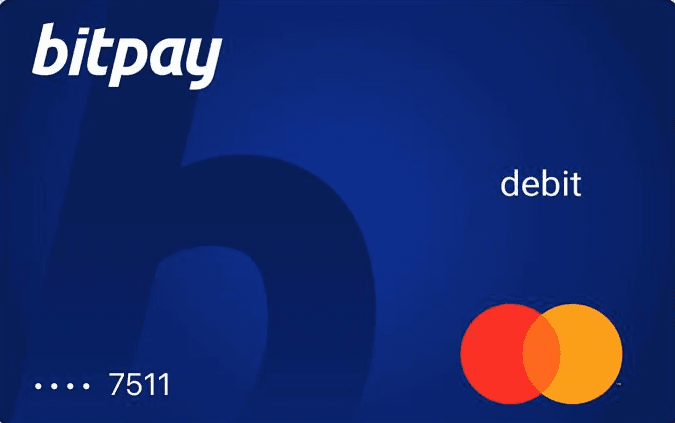 | 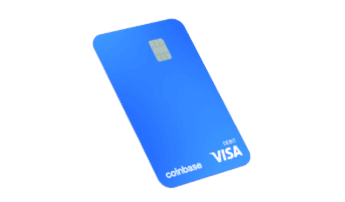 |
|---|---|---|
| Max Cashback | TBD | 4%Highest |
| Annual Fee | FreeBest | FreeBest |
| FX Fee | 3% | 0% |
| Custody Model | Custodial | Custodial |
| Network | MASTERCARD | VISA |
| Regions | US | US |
| Supported Assets | 4+ assets BTCETHUSDCUSDT | 4+ assets USDCBTCETHSOL |
| Cashback | Yes | Yes |
| Staking | No | No |
| Points | No | No |
| Airdrops | No | No |
| Lounge access | No | No |
| Subscription rebates | No | No |
| Metal card | No | No |
| Virtual Cards | No | No |
| Physical Cards | Yes | No |
| Visa | No | No |
| Mastercard | No | No |
| Apple Pay | Yes | No |
| Google Pay | No | No |
| Self-custody spend | No | No |
| Stablecoin spend | No | No |
| No annual fee | Yes | Yes |
| No FX fee | No | Yes |
| ATM free allowance | No | No |
| No KYC | No | No |
| Virtual vs Physical | Yes | No |
| Debit vs Prepaid | No | No |
| Best For | Best for Cashback |
Note: All data verified as of February 2026. Rewards and fees may vary based on your spending tier and region. Check each card's detailed page for complete terms.
BitPay vs Coinbase: Key Differences
Two of the oldest US crypto card options serving identical geography with fundamentally different product strategies. [Coinbase](/crypto-cards/coinbase-card/) pairs a zero-fee prepaid Visa for [USDC spending](/crypto-cards/stablecoin/) with an Amex credit card earning up to 4% BTC back - plus FDIC-insured balances, full Amex purchase protection, and no crypto disposal at point of sale. [BitPay](/crypto-cards/bitpay-card/) offers a wallet-first Mastercard prepaid with merchant-specific [cashback](/crypto-cards/cashback/) offers, higher ATM limits ($2,000/day), and a 3% FX fee that makes it one of the most expensive crypto cards for international spending. As of 2026, BitPay has paused new applications (waitlist only).
The right choice depends on your priorities: cashback rates, regional availability, custody model, and which ecosystem you already use. Below, we break down who should choose each card.
Both US-Only: A Rare Full Overlap
This is one of the few crypto card comparisons with complete geographic overlap. Both cards serve the United States only. Most exchange cards (Bybit, OKX, Kraken, Binance) do not serve American users, making the US market limited to a handful of options.
Coinbase offers two products: a prepaid Visa with variable rotating crypto rewards (available in all states except Hawaii) and the Coinbase One Amex credit card with tiered BTC back (2-4% based on 30-day average Assets on Coinbase). Coinbase is publicly traded (NASDAQ: COIN) with FDIC pass-through insurance up to $250,000 on USD balances via Pathward, N.A.
BitPay offers a single prepaid Mastercard with merchant-specific cashback offers through the BitPay app. Rewards vary by merchant and promotion period - they are not a fixed percentage rate. As of 2026, BitPay has temporarily paused new card applications. Existing cardholders can continue using their cards, but new users must join a waitlist with no confirmed timeline for reopening.
Both charge no annual fee on the card itself (Coinbase's Amex has a separate $49.99/year Coinbase One membership). Both support Apple Pay.
Net Returns and Fee Comparison
The 3% FX fee is the defining feature of this comparison. Coinbase charges 0% FX on all transactions. BitPay charges 3% on any non-USD transaction.
| Scenario | Coinbase Amex (4% BTC) | Coinbase Amex (2% base) | Coinbase Visa (USDC) | BitPay (domestic) | BitPay (international) |
|---|---|---|---|---|---|
| Casual ($1,000/mo) | $36 (after $4.17 sub) | $16 (after sub) | $0 cost, $0 rewards | $0 + merchant offers | -$30 (3% FX loss) |
| Active ($3,000/mo) | $116 | $56 | $0 cost | $0 + merchant offers | -$90 (FX loss) |
| Power ($5,000/mo) | $196 | $96 | $0 cost | $0 + merchant offers | -$150 (FX loss) |
| Annual ($3,000/mo) | $1,392 | $672 | $0 | varies | -$1,080 (FX loss) |
A US traveler spending $3,000/month internationally loses $1,080/year on BitPay's FX fee while earning $1,392/year on Coinbase's Amex at 4%. That is a $2,472/year swing on identical spending - one of the largest gaps in any comparison on SpendNode.
Domestically, BitPay's fee structure is zero-cost: no conversion fee, no FX fee, no annual fee. It functions as a simple zero-cost off-ramp for BTC, ETH, USDC, and USDT holders who spend only within the US. But Coinbase's prepaid Visa is also zero-cost for USDC spending domestically, while additionally offering the option to earn 2-4% BTC through the Amex on the same purchases.
BitPay's merchant cashback offers vary by retailer and promotion period. Some users report meaningful savings at specific merchants, but the rewards are not predictable or guaranteed. Coinbase's Amex provides a consistent, published rate (2-4% BTC on all purchases) that users can plan around.
Tax Treatment: Credit Card Advantage
The Coinbase Amex is a credit card. When you spend, you use a credit line. No crypto is sold at the point of sale. No taxable disposal occurs. BTC rewards received are treated like traditional credit card cashback, which current IRS guidance suggests is not taxable income.
Both BitPay and the Coinbase prepaid Visa are debit cards that convert crypto at point of sale, creating taxable disposal events. Spending appreciated BTC through either card triggers capital gains tax on the appreciation.
For a user with $50,000 in BTC that has doubled in value, spending $3,000/month through BitPay or Coinbase's prepaid Visa creates approximately $1,500/month in taxable capital gains ($18,000/year at a 20% long-term rate = $3,600/year in tax). The Coinbase Amex avoids this entirely.
Coinbase's USDC spending on the prepaid Visa also minimizes tax events since USDC maintains a 1:1 USD peg (minimal or zero capital gains).
The tax-optimal US strategy is Coinbase Amex for purchases (no disposal, earns BTC) plus Coinbase Visa for USDC spending (minimal tax, zero cost). BitPay has no equivalent to either product's tax advantages.
ATM Access and Spending Limits
BitPay's one clear structural advantage is ATM access.
ATM comparison:
- BitPay: $2,000/day limit, $2.50 flat fee per withdrawal
- Coinbase: approximately $1,000/day limit, 0% from Coinbase (ATM operator fees apply)
For a $500 ATM withdrawal, BitPay costs $2.50 (0.5%). Coinbase costs $0 from its side. BitPay's advantage is the $2,000/day ceiling - double Coinbase's - which matters for users who need larger cash amounts.
Spending limits:
- BitPay: $25,000/month
- Coinbase prepaid Visa: $75,000/month
- Coinbase Amex: standard Amex credit limits (varies by creditworthiness)
Coinbase's 3x higher monthly spending limit on the prepaid Visa accommodates higher-volume users. The Amex credit limit scales separately based on credit history.
Asset support:
- BitPay: 4 assets (BTC, ETH, USDC, USDT)
- Coinbase prepaid Visa: 4 assets (USDC, BTC, ETH, SOL)
- Coinbase Amex: credit line (no direct crypto spending, rewards in BTC)
Comparable asset coverage. BitPay supports USDT where Coinbase supports SOL. Both handle the major stablecoins and BTC/ETH.
Common Mistakes When Choosing
Taking the BitPay card on an international trip without knowing about the 3% FX fee. Every non-USD transaction costs 3% - among the highest FX fees of any crypto card tracked on SpendNode. A two-week trip with $2,000 in international spending costs $60 in FX fees alone. The same spending on Coinbase costs $0. Over a year of monthly $1,000 international spending, BitPay's FX fee costs $360 while Coinbase Amex earns $432 in BTC rewards (at 4% tier) - a $792/year gap. How to avoid it: Use BitPay exclusively for domestic USD purchases. For any international spending, use Coinbase or any card with 0% FX fees.
Assuming BitPay's merchant cashback equals a fixed cashback rate. BitPay's in-app merchant offers vary by retailer, promotion period, and availability. Some merchants offer 2-5% back; others offer nothing. A user who plans spending around BitPay's variable rewards may find that their preferred merchants have no active offers. Coinbase's Amex provides a consistent 2-4% BTC rate on all purchases regardless of merchant. How to avoid it: Check the BitPay app for available merchant offers before relying on cashback. If consistent, predictable rewards are important, Coinbase's fixed-rate Amex is more reliable for financial planning.
Decision Shortcut
For new US crypto card users: Coinbase is the clear choice. BitPay is not accepting new applications (waitlist only). The Amex at up to 4% BTC with full purchase/travel protection and no taxable disposal at POS is excellent. Add the prepaid Visa for zero-fee USDC spending as a tax-efficient daily driver.
For existing BitPay cardholders spending domestically: BitPay remains functional with zero domestic costs, higher ATM limits, and merchant-specific rewards. If your spending is entirely within the US and you value the $2,000/day ATM access, there is no urgent reason to switch.
For any international spending: Coinbase. BitPay's 3% FX fee is disqualifying.
Outlook: BitPay's paused applications signal potential product repositioning or regulatory compliance work. If BitPay relaunches with reduced FX fees and a fixed cashback rate, it could become more competitive. Coinbase continues to expand its Amex program and may increase reward tiers as the product matures. The US crypto card market remains limited (no European exchange cards serve the US), making Coinbase the dominant option by default. Watch for Gemini's credit card (up to 4% with SOL staking) as the most credible US alternative to Coinbase.
Fee Breakdown
| Fee | BitPay | Coinbase |
|---|---|---|
| FX Fee | 3% | 0% |
| Annual Fee | Free | Free |
| ATM Fee | 2.5% | 0% |
Fees pulled from issuer documentation. Verify on the official site before applying.
Who Should Choose BitPay
The BitPay Mastercard is best suited for users who:
- Prefer a card with no annual fee
- Are based in US
Who Should Choose Coinbase
The Coinbase Card (Prepaid Visa) is best suited for users who:
- Want up to 4% cashback on spending
- Need zero FX fees for international transactions
- Prefer a card with no annual fee
- Are based in US
Our Verdict
**Coinbase is the stronger card for nearly all US users by a wide margin.** The Amex credit card earns 2-4% BTC with full purchase protection (Retail Protection up to $10,000/claim, Extended Warranty, Trip Cancellation, Car Rental Insurance) and creates no taxable disposal at point of sale. The prepaid Visa provides zero-fee USDC spending for tax-efficient daily use. BitPay's 3% FX fee is disqualifying for any international spending, its rewards are merchant-specific and inconsistent (not a guaranteed rate), and new applications are currently paused. BitPay's only advantages: a higher $2,000/day ATM limit and zero domestic spending costs for existing cardholders. For new US crypto card users, Coinbase is the only practical choice.
Frequently Asked Questions
Which has better cashback, BitPay or Coinbase?
Compare the rewards section above for the latest cashback rates from both issuers.
Which card has lower fees?
Coinbase charges 0% FX fee vs BitPay's 3%. Neither charges an annual fee.
Is BitPay or Coinbase better for self-custody?
Both use custodial models. If self-custody is important, consider providers like Gnosis Pay or ether.fi.
Which card is available in more regions?
Both are available in 1 region. Check the issuer's website for current eligibility.